Powerful management of large volumes. Large inventories, complex orders and tight margins: Count-IT keeps everything clear, from purchasing and warehouse to picking, shipping and invoicing, with reports that show where your profit is.
In short
Count-IT is wholesale software that combines stock, purchasing, sales orders, picking, shipping and invoicing in one system, including a till for a showroom or trade counter. Purchasing, sales orders, inventory management and integrations are part of the Full plan (€69 per till per month, excl. VAT).
Multiple warehouses and locations, counting with a scanner
Order proposals, purchase orders and pick lists with packing slips
Integration with Exact Online, Sendcloud and Monta
Wholesale software is a system for managing stock across one or more warehouses, purchasing from suppliers, processing orders from business customers, picking and shipping, and invoicing. Count-IT combines these parts with a till, so warehouse, sales and administration all work with the same data.
Looking for an ERP for your wholesale business? Count-IT works as an ERP for SMEs: standard software for stock, purchasing, sales and invoicing that you configure yourself and that connects to your accounting, such as the Exact Online integration. Read how stock and purchasing work in the knowledge base on stock and purchasing.
Stock across multiple warehouses
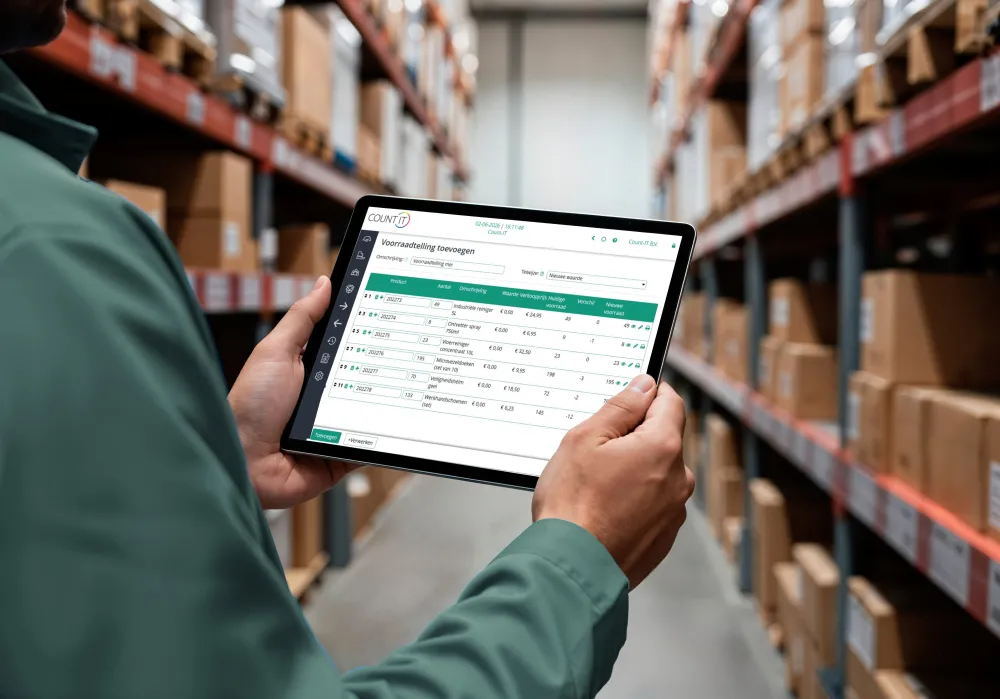
Real-time stock per warehouse and location, stock transfers, minimum and maximum stock levels and an email when stock runs low.
Scanning and counting
With a scanning terminal (PDA) you count stock, carry out a full stock-take and receive goods. GS1 barcodes and label printers are supported.
Purchasing with order proposals
Count-IT creates an order proposal based on your stock rules; you check and approve it. Purchase orders go out by email, EDI or a supplier integration, such as with Centraal Boekhuis.
Sales orders
Process orders with partial deliveries, partial invoices and down payments, and set up recurring orders for regular customers.
Customer-specific price lists, tier prices per quantity and prices with a validity period.
Invoicing and payments
Invoices and credit notes, collective invoices for account customers, payment links, direct debit mandates and bank import (CAMT.053/MT940) with match suggestions. Send e-invoices via Peppol.
Integrations and API
Connect to accounting, webshops and logistics, or build further yourself with the REST API (OAuth2).
Reports and margins
See turnover, margins, stock turnover and write-offs with reasons, per location or product group. Export to PDF or Excel.
See it in action
From sales order to purchasing
Real screens for wholesalers, with sample data.
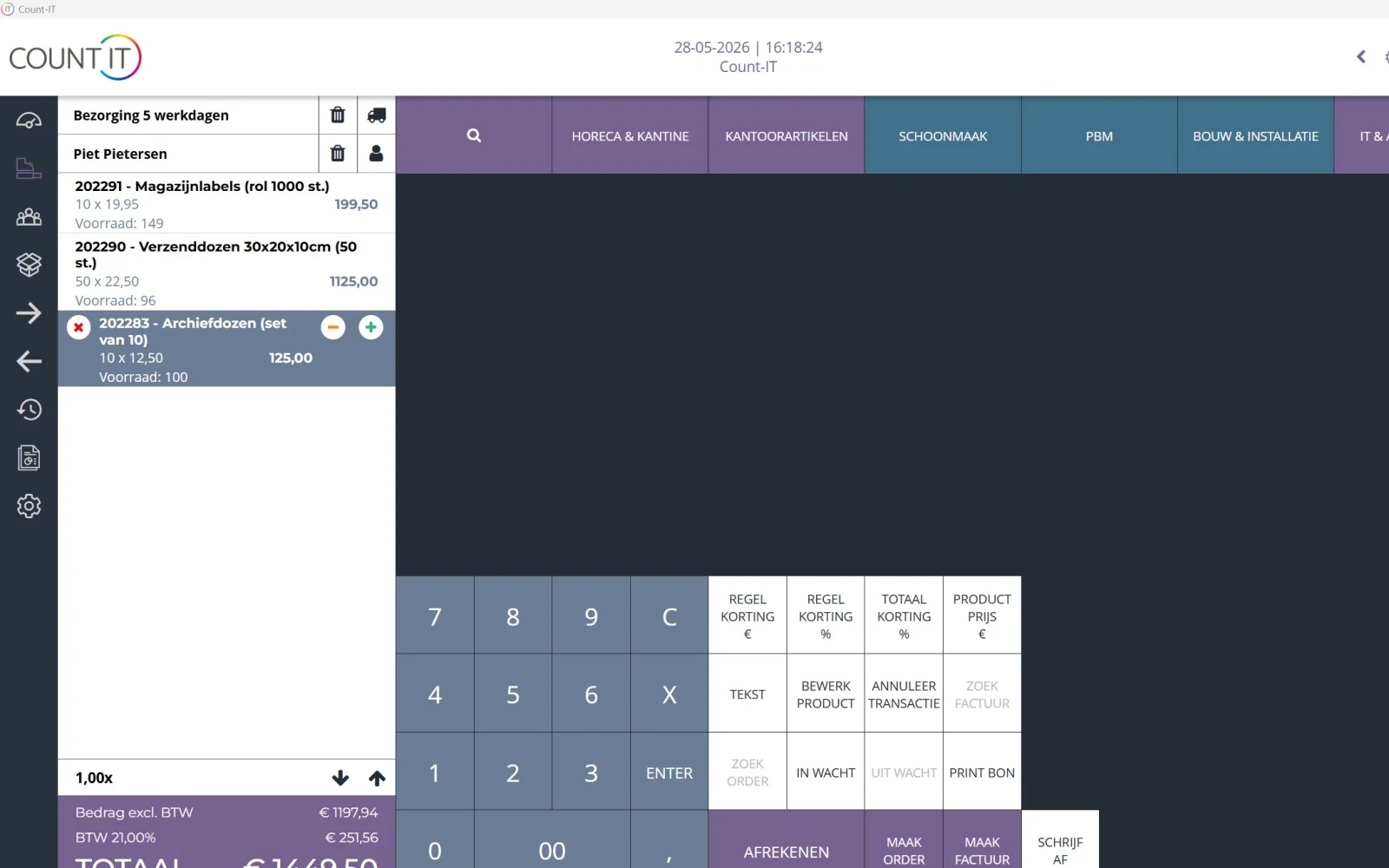
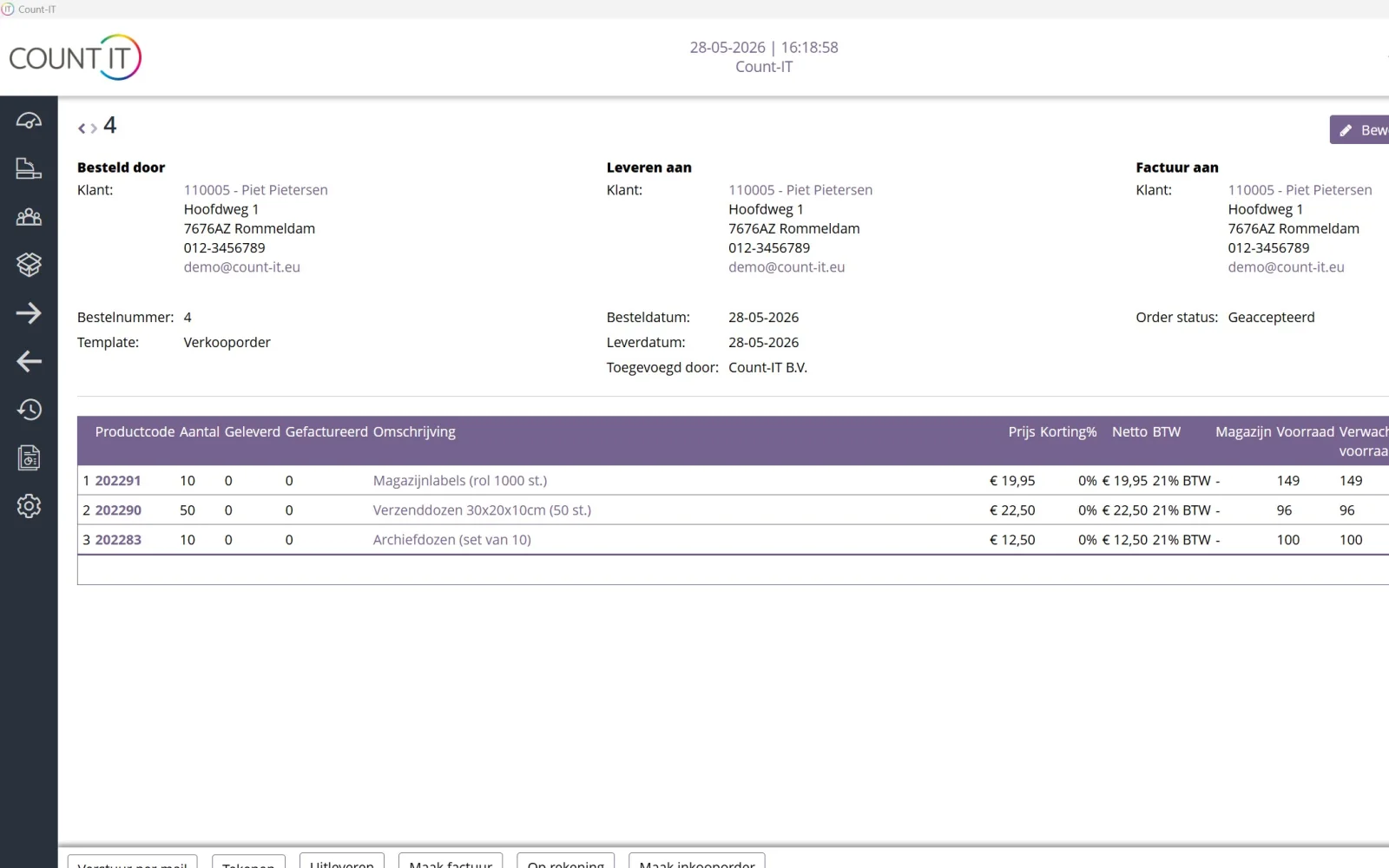
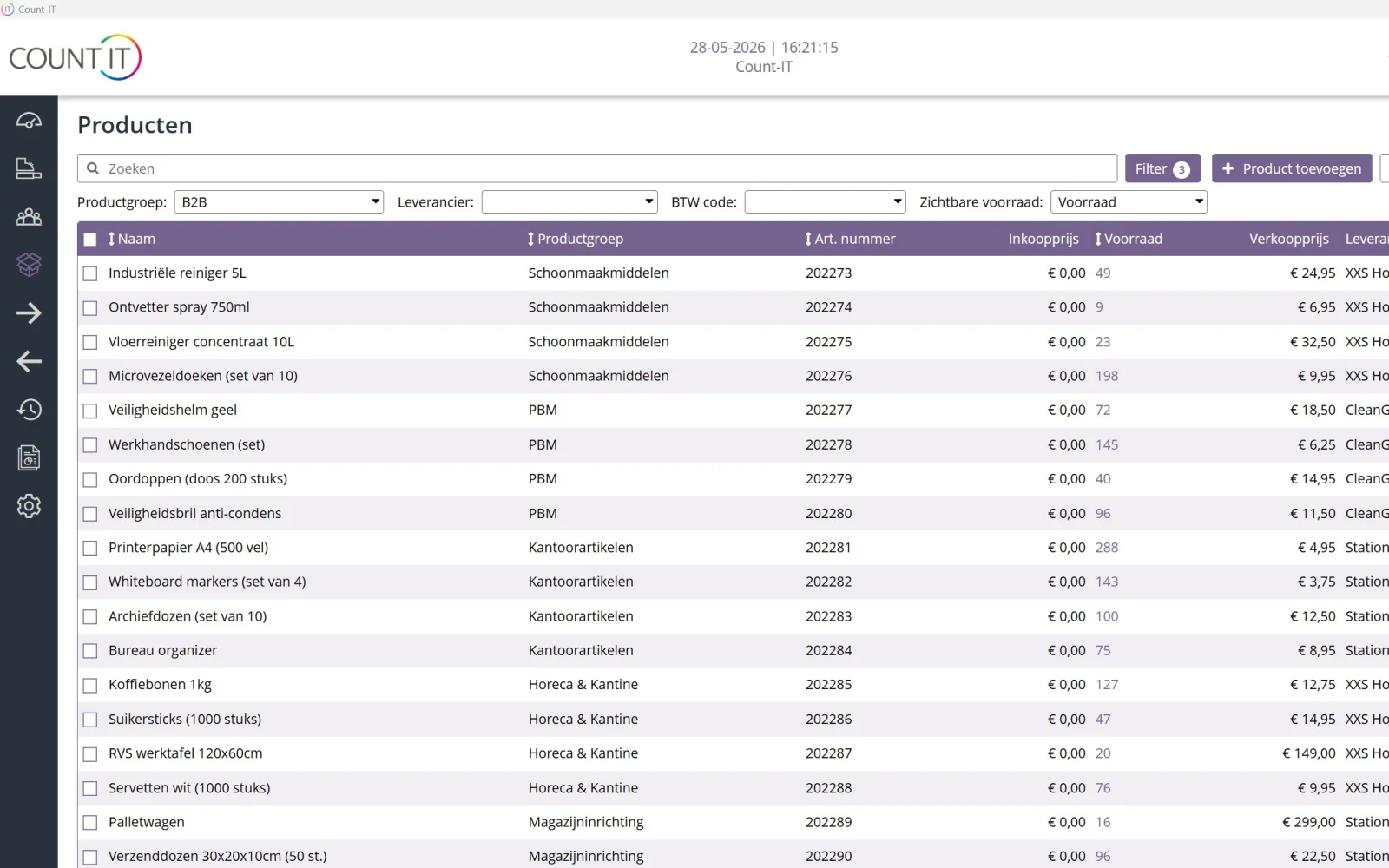
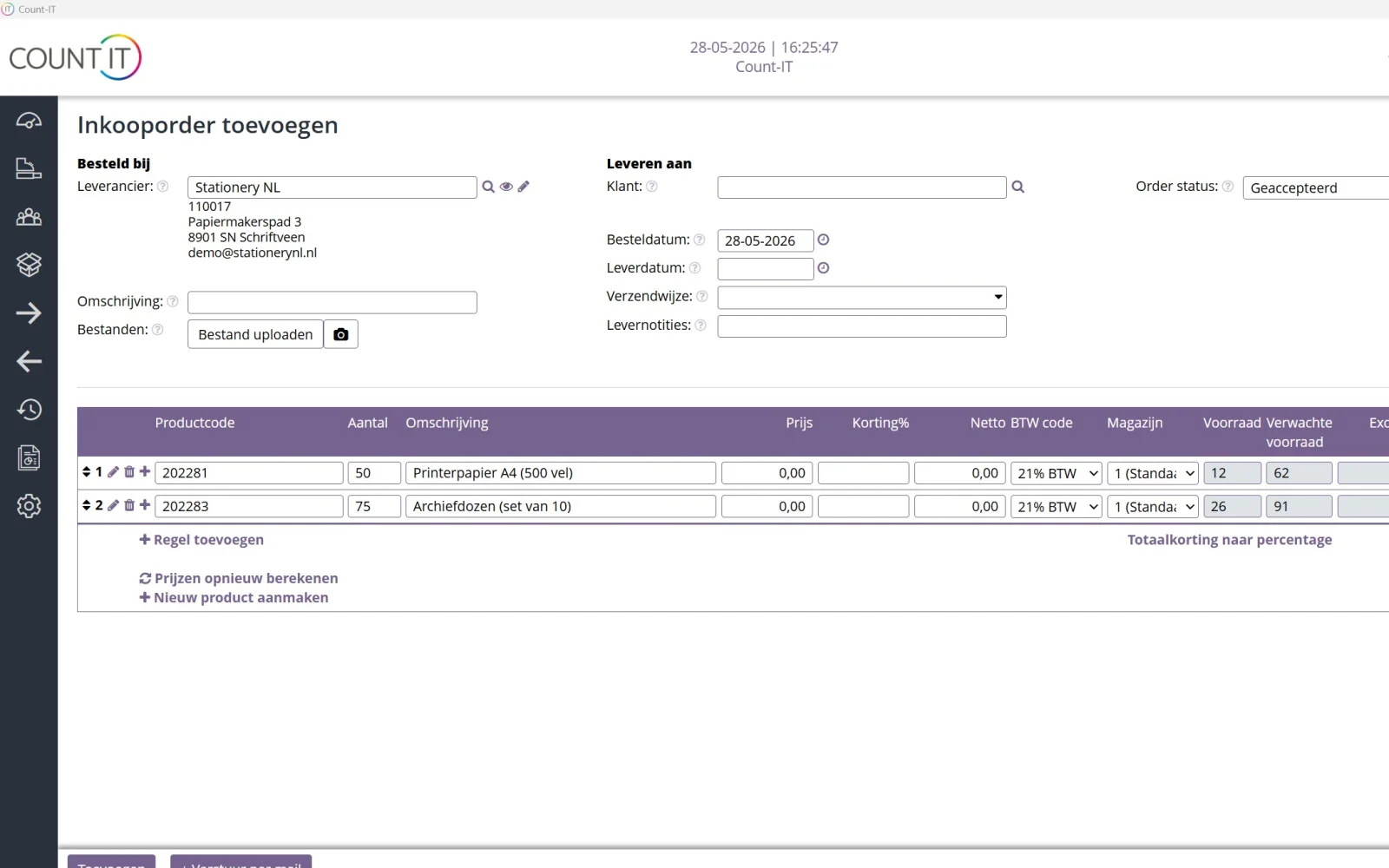
start.count-it.euAt the trade counter too: the till with customer and delivery method on the receipt.start.count-it.euSales order with customer, delivery and invoice details and the order status.start.count-it.euProduct list with product group, item number, stock, selling price and supplier.start.count-it.euPurchase order to your supplier, with the expected stock per line.
Real Count-IT screens with sample data. Click a screen to enlarge it.
Which kind of wholesaler?
Wholesale software for the way you work
No two wholesalers are alike. These are three situations where Count-IT fits well.
Wholesaler with a showroom or shop
If you also sell at a trade counter or in a showroom, you use the till of the same system there. You link a business customer to the receipt so their own price list applies, and purchases on account are bundled periodically into one collective invoice. Whatever you sell in the showroom comes off the same stock as your warehouse orders.
Wholesaler with B2B customers
Business customers order by phone, email or online. You process orders with partial deliveries, down payments and recurring orders, at customer-specific prices. Let customers order themselves via the B2B ordering portal, and invoice by direct debit or via Peppol. Read more about invoicing in the knowledge base on invoices and payments.
Wholesaler with a webshop or fulfilment
If you also supply consumers or webshops, you pick orders with pick lists, add a packing slip and create shipping labels via the Sendcloud integration. If you outsource logistics, you exchange data with fulfilment partner Monta via the Monta integration.
Warehouse Roermond 12,480 itemsUp to date
Pick list #8812 46 lines · 3 customersReady
Order proposal 9 items below minimumApproved ✓
Exact Online Invoices synchronised✓
From purchasing to shipping
How an order flows through your wholesale business
Every step uses the same data, so nothing is retyped and your stock is right at every moment. Pick lists and packing slips take one click; read how to set up hardware such as scanners and printers in the knowledge base on hardware and printers.
You approve the order proposal and send the purchase order
You receive the goods with the scanning terminal
A customer order comes in and you pick it with a pick list
You ship with a packing slip and shipping label
You invoice, and the invoice goes to your accounting
Compare
Separate till + separate packages vs Count-IT
Many wholesalers work with an accounting package, spreadsheets for stock, manual order entry and sometimes a separate till for the trade counter. This is how that compares with one wholesale system.
Comparison between a separate till with separate packages and Count-IT for wholesalers
Area
Separate till + separate packages
Count-IT
Stock
Spreadsheets per warehouse, updated by hand
Real-time stock per warehouse and location, with counts via a scanning terminal
Purchasing
Checking what has run out yourself and ordering by email
Order proposal you approve; purchase order by email, EDI or supplier integration
Orders
Retyping orders from email or phone calls
Sales orders with partial delivery, down payment and recurring orders
Picking and shipping
Paper lists and a separate shipping portal
Pick list, packing slip and shipping label from the order
Prices
Price agreements in separate lists
Customer-specific price lists and tier prices, at the till too
Invoicing
Creating invoices separately and matching payments by hand
Invoice from the order, bank import with match suggestions, Peppol and direct debit
Showroom or trade counter
A separate till with its own stock
Till in the same system, with the same stock and customer prices
Accounting
Exporting and importing
Integration with Exact Online and other accounting packages
What to look for when choosing software for your wholesale business
Wholesale software touches warehouse, purchasing, sales and administration all at once. Take these points into account when you choose.
Warehouses: can you manage multiple warehouses and locations with real-time stock and transfers?
Scanning: can you count, receive and pick with a scanning terminal?
Purchasing: do you get an order proposal you check yourself, and can you order by email or EDI?
Orders: does the system support partial deliveries, partial invoices, down payments and recurring orders?
Prices: can you record customer-specific price lists and tier prices?
Invoicing: can you invoice via Peppol, collect by direct debit and import bank statements?
Integrations: does it connect to your accounting, carriers and, if needed, your fulfilment partner?
Support: do you get personal help with set-up and switching?
Hardware for warehouse and trade counter
In the warehouse you use a scanning terminal (PDA), barcode scanners and label printers; at the showroom or trade counter a till with receipt printer and card terminal. If you sell by weight, Count-IT works with a certified Digi scale. View the range of POS and warehouse hardware; we deliver it pre-tested or check whether your existing equipment is compatible.
Tax and e-invoicing
If you invoice to Belgium, you send e-invoices via Peppol and check VAT numbers with VIES. With a till in Germany, Count-IT supports the KassenSichV with a TSE via Fiskaly and the DSFinV-K export; in Belgium you use the digital daily receipts book (dagontvangstenboek) via Scrada. Read more about certification and tax requirements.
Integrations
Integrations for accounting and logistics
Count-IT works with the systems your wholesale business already uses. These are the integrations wholesalers use most.
Yes. You manage multiple warehouses and locations from one system, with real-time stock per location, stock transfers and counts per warehouse.
Is Count-IT an ERP for wholesalers?
Count-IT works as an ERP for SME wholesalers: stock, purchasing, sales orders, picking, shipping, invoicing and a till are in one system. Your bookkeeping stays in your own accounting package, connected to Count-IT.
Does Count-IT integrate with Exact Online?
Yes. Count-IT integrates with Exact Online and other accounting packages such as Moneybird, SnelStart, e-Boekhouden.nl, Visma eAccounting and Uniconta. See the integrations.
Can I work with a scanning terminal?
Yes. With a scanning terminal (PDA) you count stock, receive goods and pick orders faster and with fewer errors.
Does Count-IT order from my suppliers automatically?
No, you stay in control. Based on minimum and maximum stock, Count-IT creates an order proposal; you check and approve it. The purchase order then goes out by email, EDI or a supplier integration.
Can my business customers order online themselves?
Yes. Through the customer portal, customers order at their own prices, see their invoices and can pay online. Read more on the page about B2B software and the ordering portal.
Can I create shipping labels and work with a fulfilment partner?
Yes. You create shipping labels via carriers and shipping platforms such as Sendcloud, MyParcel and DHL, and Count-IT integrates with fulfilment partner Monta.
How much does Count-IT cost for a wholesaler?
Purchasing, sales orders, inventory management and integrations are part of the Full plan at €69 per till per month, excluding VAT; Light costs €35. Support, updates and unlimited users are included. View pricing or book a demo.