
POS system for retail

POS system for retail and shops, with inventory management

Efficiency on the shop floor, insight behind the scenes. Count-IT checks customers out quickly, tracks your stock across all branches in real time and integrates with your webshop. For one small shop or ten branches.

In short

Count-IT is a cloud POS system for shops that lets you manage sales, stock, customers and your webshop from a single environment. It runs in the browser or app on a POS computer, tablet or phone and costs €35 (Light) or €69 (Full) per till per month, excl. VAT.

  • Stock per shop and warehouse, including sizes and colours
  • Integration with Shopify, WooCommerce and Magento
  • Try free for 30 days; support and updates included
  • 5.0 on Google, read customer experiences
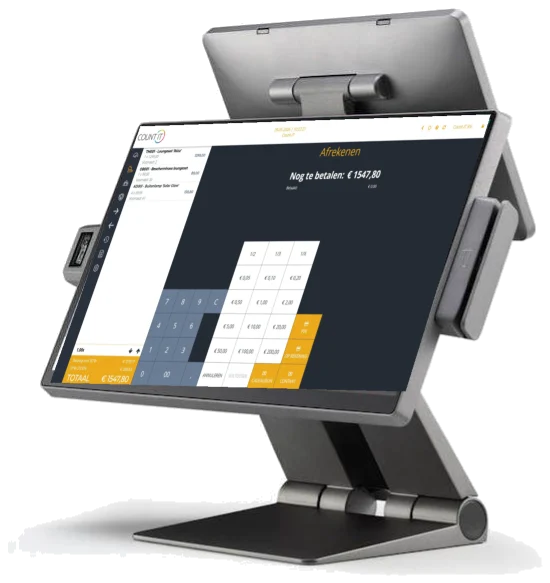
Checkout screen of the Count-IT retail POS system on the Count-IT CR-201 till
What is a retail POS system?

More than checkout: till, stock and customers in one

A retail POS system is software, with matching hardware, that lets you take payments in your shop while keeping track of your products, stock, customers and figures. With Count-IT, it all sits in one cloud system: whatever you sell at the till appears straight away in your stock, your reports and, once connected, your webshop and accounting.

Customers expect speed, convenience and a personal approach. That is why anyone can start using the till straight away, including new or temporary staff, while you keep control of purchasing, margins and stock behind the scenes. Read how the till works, step by step, in the knowledge base on the POS.

Fast checkout

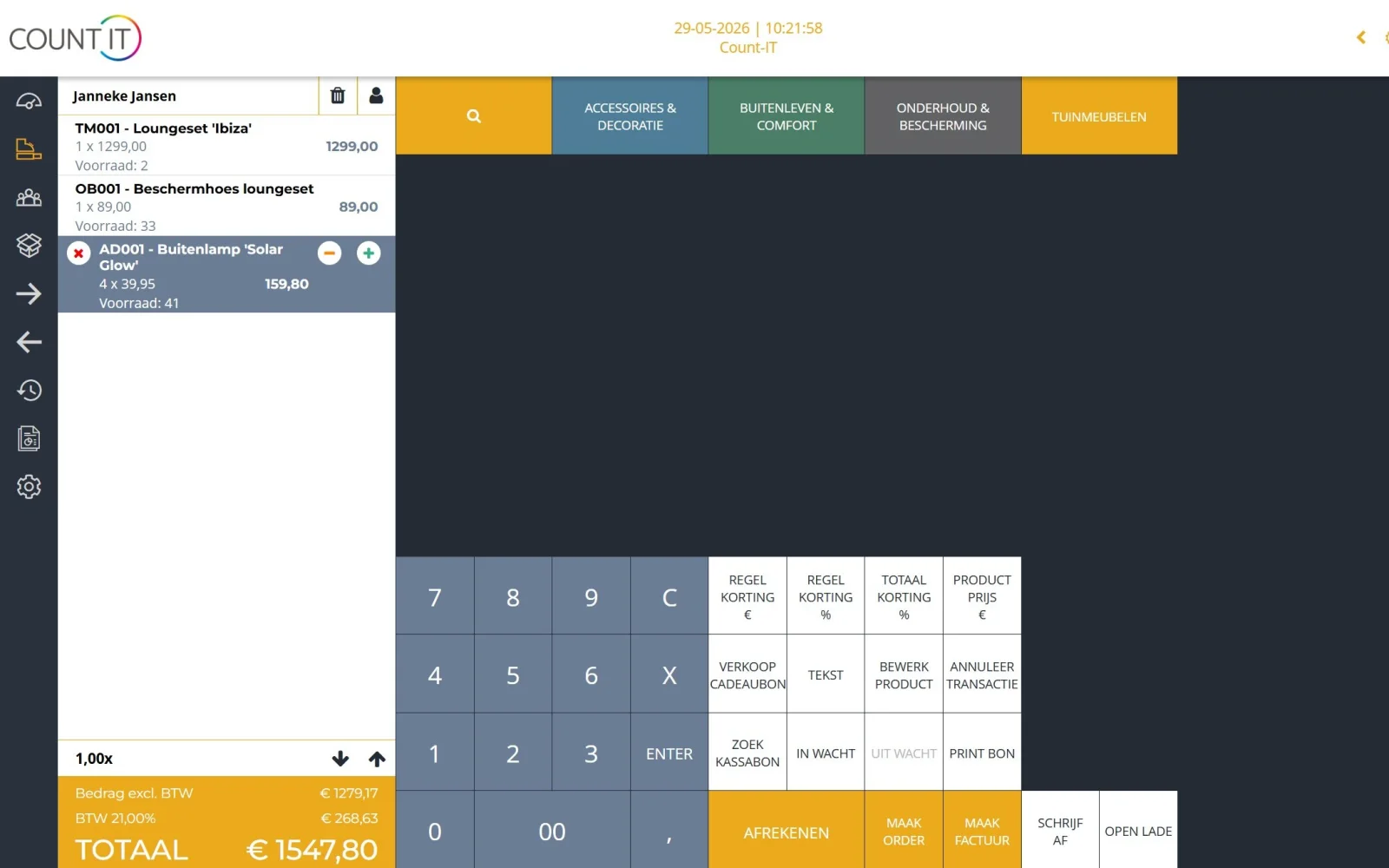
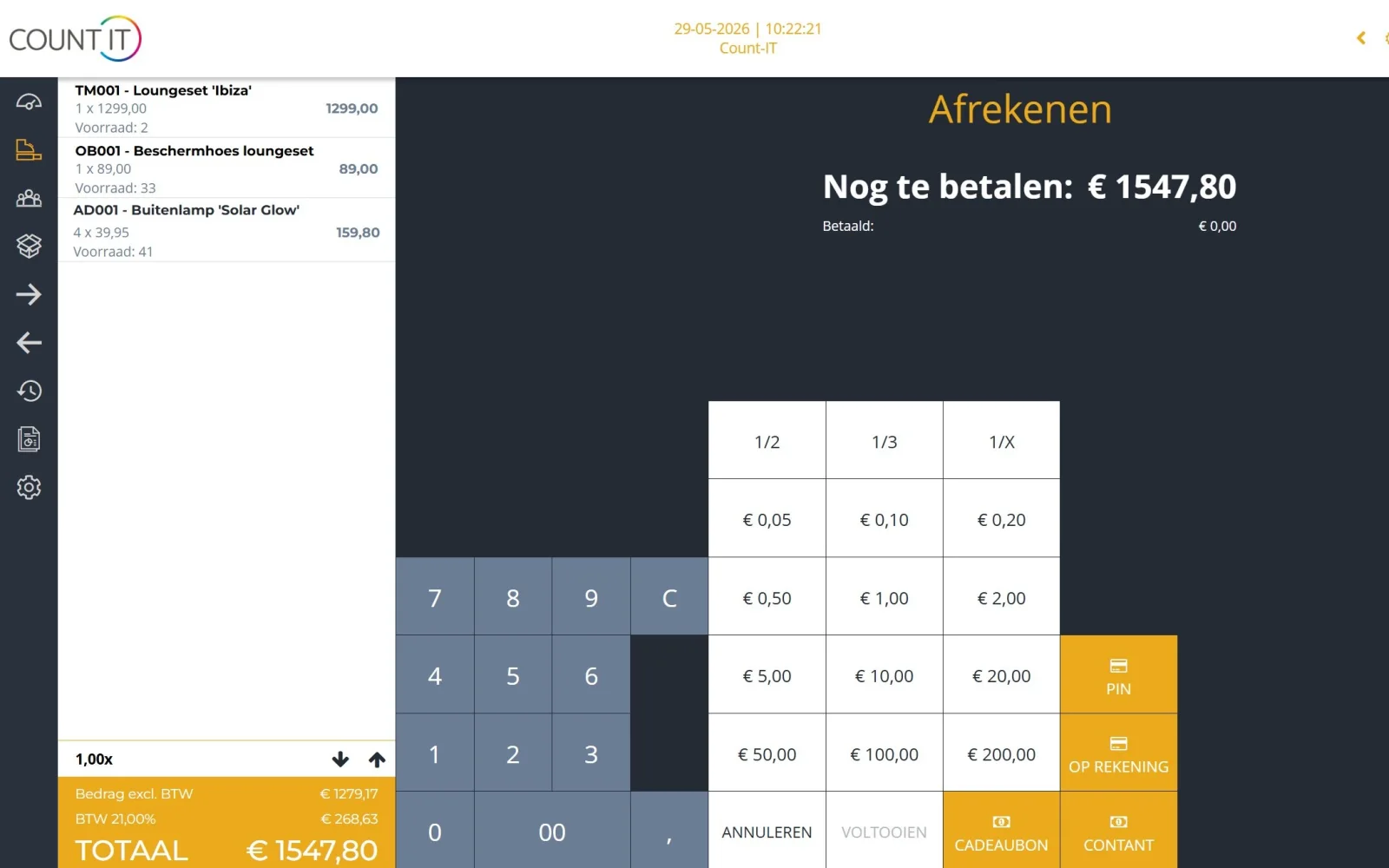
Put receipts on hold, process returns and discounts, split a payment across several payment methods and print or email the receipt or invoice. A customer display lets the customer follow along.

User-friendly for everyone

Staff switch users with their own PIN, and you decide the button layout per location or device. Security codes for refunds, discounts and the cash drawer keep you in control.

Real-time insight into your figures

View turnover, margins and sales analyses per product, product group, employee or location, and export reports to PDF or Excel.

Inventory management and purchasing

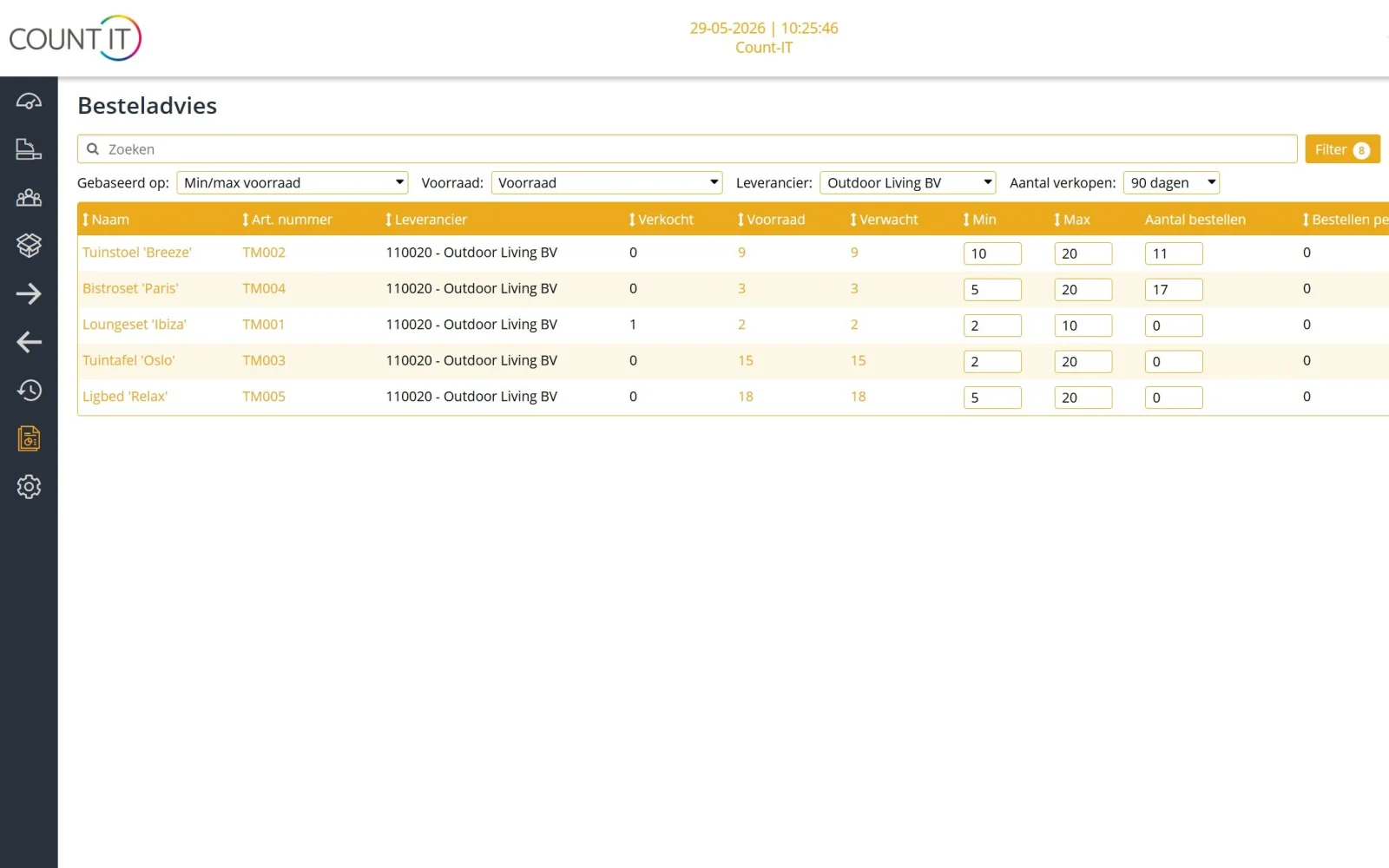
Stock per shop and warehouse, minimum and maximum stock levels, an email when stock runs low and an order proposal you check yourself before the purchase order goes out. More in the knowledge base on stock and purchasing.

Variants, barcodes and labels

Work with size and colour variants, bundles and serial numbers. Scan barcodes, including GS1, and print your own product labels.

Customers and loyalty

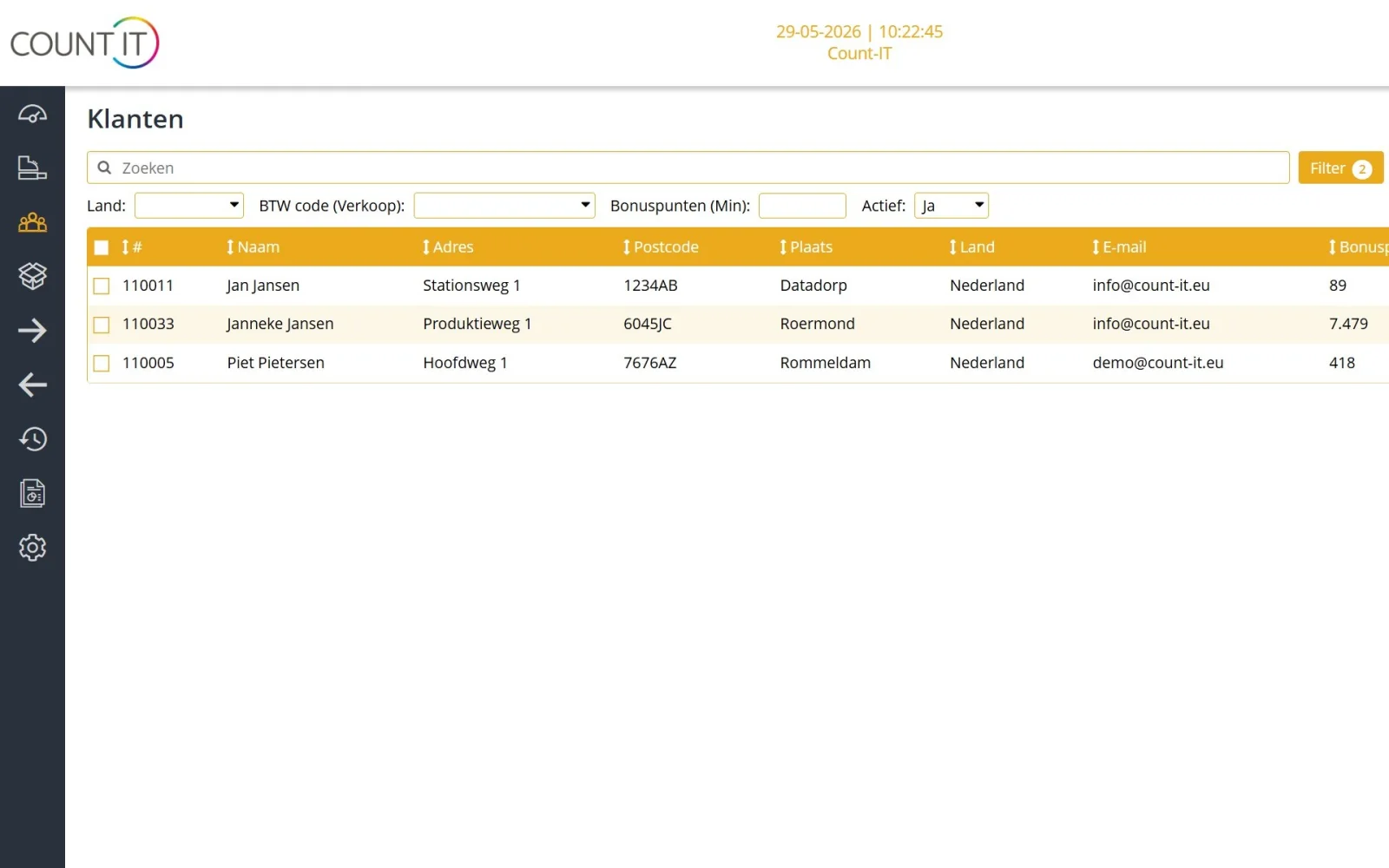
A built-in CRM, customer-specific price lists and a points-based loyalty programme, fully integrated into the till.

Gift cards

Sell and redeem gift cards at the till, including partial redemption and an expiry date. An easy way to generate extra turnover.

Omnichannel with your webshop

Products, prices and stock stay in sync between shop and webshop, so you never sell what is no longer there.

Basic checkout during an outage

Count-IT is an online system, but during an internet outage you can still do basic checkout at the till; receipts are synchronised later. Day closing, cash counts and cash expenses are all part of it.

Which kind of shop?

A POS system that fits your type of shop

Every shop works differently. This is how different retailers use Count-IT.

Fashion and clothing: sizes and colours

A clothing shop sells the same item in many sizes and colours. In Count-IT you create one product with size and colour variants, each with its own barcode and its own stock. You see immediately which size has sold out and which branch still has it, print labels for a new collection and handle exchanges and returns at the till. Gift cards can be partially redeemed.

Specialist shop: expertise, service and repairs

In a specialist shop, from bike shop to delicatessen, it is all about expertise and service. Register serial numbers, take in repairs and work orders, and sell by weight with a certified Digi scale and price or weight barcodes. With the CRM, customer-specific prices and loyalty points you build a bond with regular customers. Set up products and prices with the knowledge base on products and pricing.

Multiple branches

One POS system for all your branches

Whether you have one shop or several branches, Count-IT shows you per location what is being sold, what is in stock and what needs reordering. You move products between branches, count stock per location and compare performance at a glance. User rights groups determine who can see and do what.

  • Central product and price management for all shops
  • Reports per location, employee or product group
  • Stock counts per location and full stock-takes
  • Volume discount on Full from the second till per location
Compare

Separate till + separate packages vs Count-IT

Many shops use a stand-alone till, a separate webshop, a stock spreadsheet and a loyalty card system. This is how that compares with one integrated system.

Comparison between a separate till with separate packages and Count-IT
AreaSeparate till + separate packagesCount-IT
StockUpdated by hand or exported between till, webshop and stock listOne stock per shop and warehouse, updated with every sale
WebshopProducts and prices entered twiceIntegration with Shopify, WooCommerce or Magento
PurchasingOrders in a spreadsheet or individual emailsOrder proposal based on minimum and maximum stock, approved by you
Customers and loyaltyA separate loyalty card or customer programmeCRM, loyalty points and gift cards in the till
Multiple branchesA separate system and separate figures per shopCentral product management and reports per location
ReportsCombining figures from several sourcesTurnover, margins and stock turnover in one environment
Costs and supportSeveral subscriptions and suppliersFixed price per till; support, updates and unlimited users included

See Count-IT pricing per till for exactly what Light and Full include.

Checklist

What to look for when choosing a POS system for your shop

You will use a POS system every day for years. Ask these questions before you choose, including to us.

A POS system for a small shop

Running a small shop with one till? Then above all you want to get started quickly and without hassle. Try Count-IT free for 30 days, then choose between Light (€35) and Full (€69) per till per month, excl. VAT. Inventory management, purchasing and integrations are part of Full. If you grow to more branches, the system grows with you.

  • Inventory management: does the till use the same stock as your warehouse and webshop, including across several branches?
  • Variants: can you manage sizes and colours as variants of one product, each with its own barcode and stock?
  • Webshop integration: which platforms are supported and what exactly is synchronised?
  • Payments: does the till connect to your card terminal, and can you split payments?
  • Outages: can you keep selling if the internet drops out for a while?
  • Tax requirements: does the system comply in every country where you sell, such as Germany or Belgium?
  • Costs: what do you pay per till, and are support, updates and users included?
  • Switching: can you import your product file, and do you get personal help getting started?

POS hardware that works straight away

Count-IT runs in the browser or app on a POS computer, tablet or phone. For a complete checkout, we supply POS hardware such as touchscreen tills, receipt and label printers, barcode scanners, cash drawers, customer displays and connected card terminals, pre-installed and tested. Read how to set it up in the knowledge base on hardware and printers.

Tax-compliant, in Germany and Belgium too

If you also sell in Germany, Count-IT supports the KassenSichV with a TSE via Fiskaly, the DSFinV-K export and a GoBD Verfahrensdokumentation. In Belgium you use the digital daily receipts book (dagontvangstenboek) via Scrada and send e-invoices via Peppol. Read all about certification and tax requirements.

Experiences

What business owners say about Count-IT

Reviews in Dutch, as written by our customers.

Al langere tijd zeer tevreden klant. Wij gebruiken het systeem in de winkel en werkplaats. Wanneer er support nodig is met vragen aanpassingen is dat ook geen probleem. Ga zo door!

EEgbert Siegersvia Google

Fijn systeem met goed werkende functionaliteiten die ik niet bij andere bedrijven kon vinden zonder maatwerk. Top systeem en top service.

SStijn Schepervia Google

Het is een erg uitgebreid kassasysteem met veel functiemogelijkheden, vooral de functie om zelf een afbeelding, achtergrondkleur en/of tekstkleur per kassaknop …

AAmanda L.R.via Google

All experiences and reviews

Switching

Switching to Count-IT

Switching from your current POS system does not have to be a hassle. Broadly, it works like this.

  1. Get acquainted or try it

    Book a 30-minute live online demo or try Count-IT free and without obligation for 30 days.

  2. Import your products

    Transfer your existing product file via Excel or CSV, including a complete product database. We help you with it.

  3. Hardware and set-up

    We advise on hardware or check whether your existing equipment is compatible, and tailor the configuration to your shop.

  4. Live, with personal support

    Hardware arrives tested and configured, usually within a few working days. After that, support helps you personally, Monday to Saturday.

See our approach step by step

Frequently asked questions

POS system for retail

How much does a POS system for a shop cost with Count-IT?

The Light plan costs €35 per month and the Full plan €69 per month, excluding VAT, per till. Support, updates and unlimited users are included, and on Full, a volume discount applies from the second till per location. Inventory management, purchasing and integrations are part of Full. Hardware such as a POS computer, receipt printer or barcode scanner is purchased separately. View pricing.

Is Count-IT suitable as a POS system for a small shop?

Yes. You start with one till, on a tablet or an existing computer if you like, and try Count-IT free for 30 days first. If you grow to more tills or branches, you expand the system without having to switch.

Can I manage multiple shops with one system?

Yes. Count-IT is built for multiple branches. You manage products, prices and stock centrally, see stock per branch, move products between locations and view reports per location.

Does Count-IT work with sizes and colours for a clothing shop?

Yes. You create a product with size and colour variants. Each variant has its own barcode and its own stock, so you can see what is left per size and per branch.

Does Count-IT integrate with my webshop?

Yes, with Shopify, WooCommerce and Magento, among others. Which data is exchanged differs per platform; the integrations page shows this per integration.

Can I keep selling if the internet goes down?

Count-IT is an online system, but during an internet outage you can do basic checkout at the till. Receipts are synchronised as soon as the connection is back.

What hardware do I need for a shop till?

At a minimum, a device with a browser or the app, such as a POS computer, tablet or phone. For a complete checkout, add a receipt printer, barcode scanner, cash drawer and card terminal. We supply this hardware pre-tested, or check whether your existing equipment is compatible.

Can I transfer my existing product file?

Yes. You import products via Excel or CSV, including a complete existing product database. We help you switch; see our approach.

Ready to work smarter?

Discover today how Count-IT supports your shop. 30 days free, no obligation.