ERP software for SMEs

POS system with ERP for SMEs

Selling at the till, stock across several warehouses, purchasing, orders, invoices and customer contact: in Count-IT everything runs on the same real-time data. No separate systems to stitch together, but one platform that grows with your business.

In short

Count-IT is a POS system with ERP functions for SMEs: product management, inventory management, purchasing, orders, invoicing, CRM and a B2B ordering portal in one cloud system. The ERP functions are part of the Full plan: €69 per month per till (excl. VAT), including support, updates and unlimited users. Pricing for the ordering portal is set separately.

  • Till, stock, purchasing and invoices on the same real-time data
  • For shops, wholesalers and B2B companies with multiple locations
  • Integrates with Exact Online, e-Boekhouden.nl and other accounting software
  • 5.0 on Google, read reviews
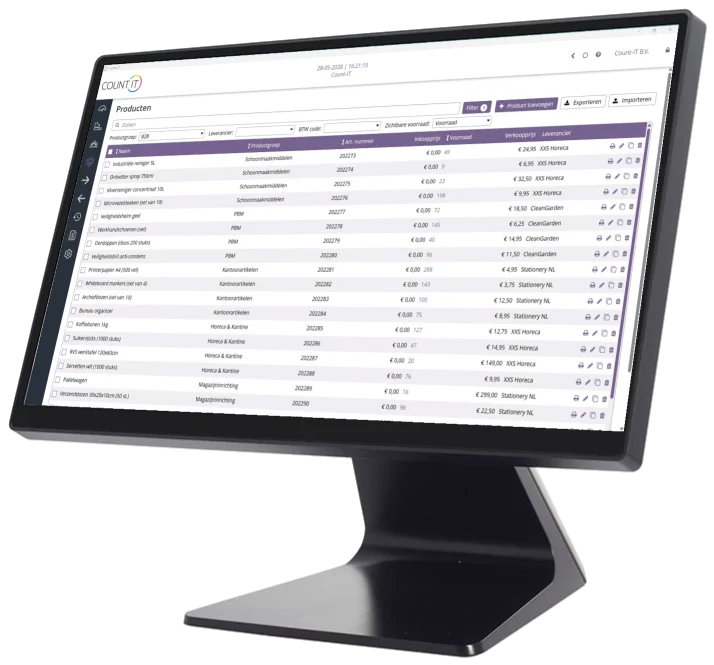
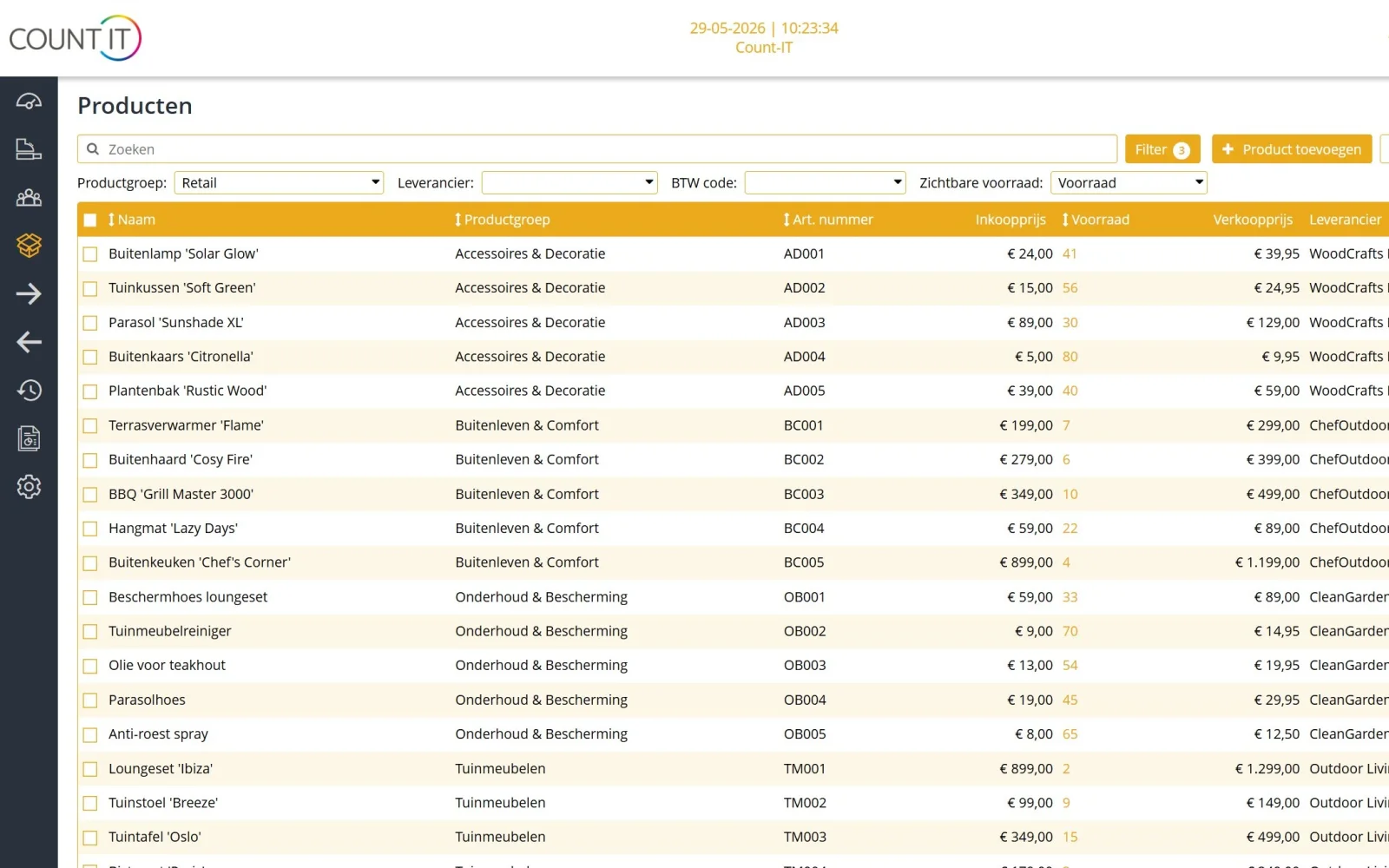
Product overview with stock in Count-IT, the POS system with ERP features, on the Count-IT CR-102

What is ERP, and what is a POS system with ERP?

ERP stands for Enterprise Resource Planning: software that brings a company’s core processes together in one system. Think of product management, stock, purchasing, sales orders, invoicing and customer management. The advantage is that every department works with the same data. A sale immediately lowers the stock, a received delivery raises it again, and an invoice is automatically linked to the right customer and order.

Traditional ERP packages are built for larger organisations and often require a long implementation. For SMEs that is usually too heavy, while a simple till with a stock counter is too little as soon as you have several locations, business customers or a web shop.

A POS with ERP functions

A POS system with ERP is a till in which the ERP processes are already built in. You do not need to connect a till to a separate ERP package: the receipt at the counter, the sales order for a business customer and the purchase order to your supplier are in the same system and use the same products, prices and stock. Count-IT runs in the browser and as an app, on any device. If the internet goes down, you can still do basic checkout at the till; receipts are synchronised later.
The modules

All ERP modules on the same real-time data

Every module uses the same products, customers and stock. What you record in one module shows up immediately in the others.

Product management

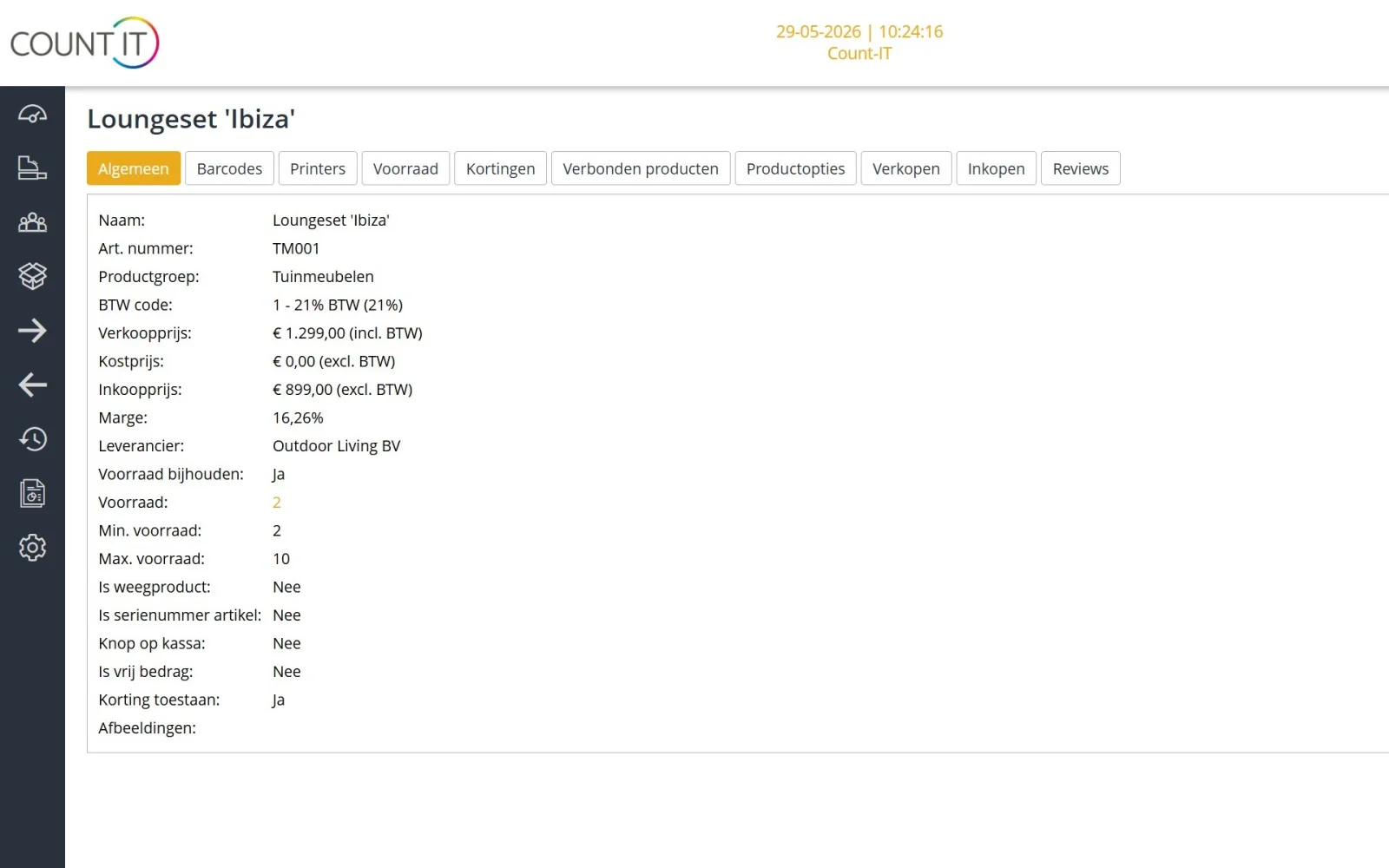
Products with variants such as size and colour, bundles and composite products, serial numbers and selling by weight. Price lists with customer prices, tier prices and validity periods. Import and export your range via Excel or CSV. More about products and pricing

Inventory management

Multiple warehouses with storage locations, including planned incoming and outgoing stock. Stock counts and a full stock-take, transfers between warehouses, minimum and maximum stock, an email when stock runs low, and write-offs with a reason. More about stock and purchasing

Purchasing with order advice

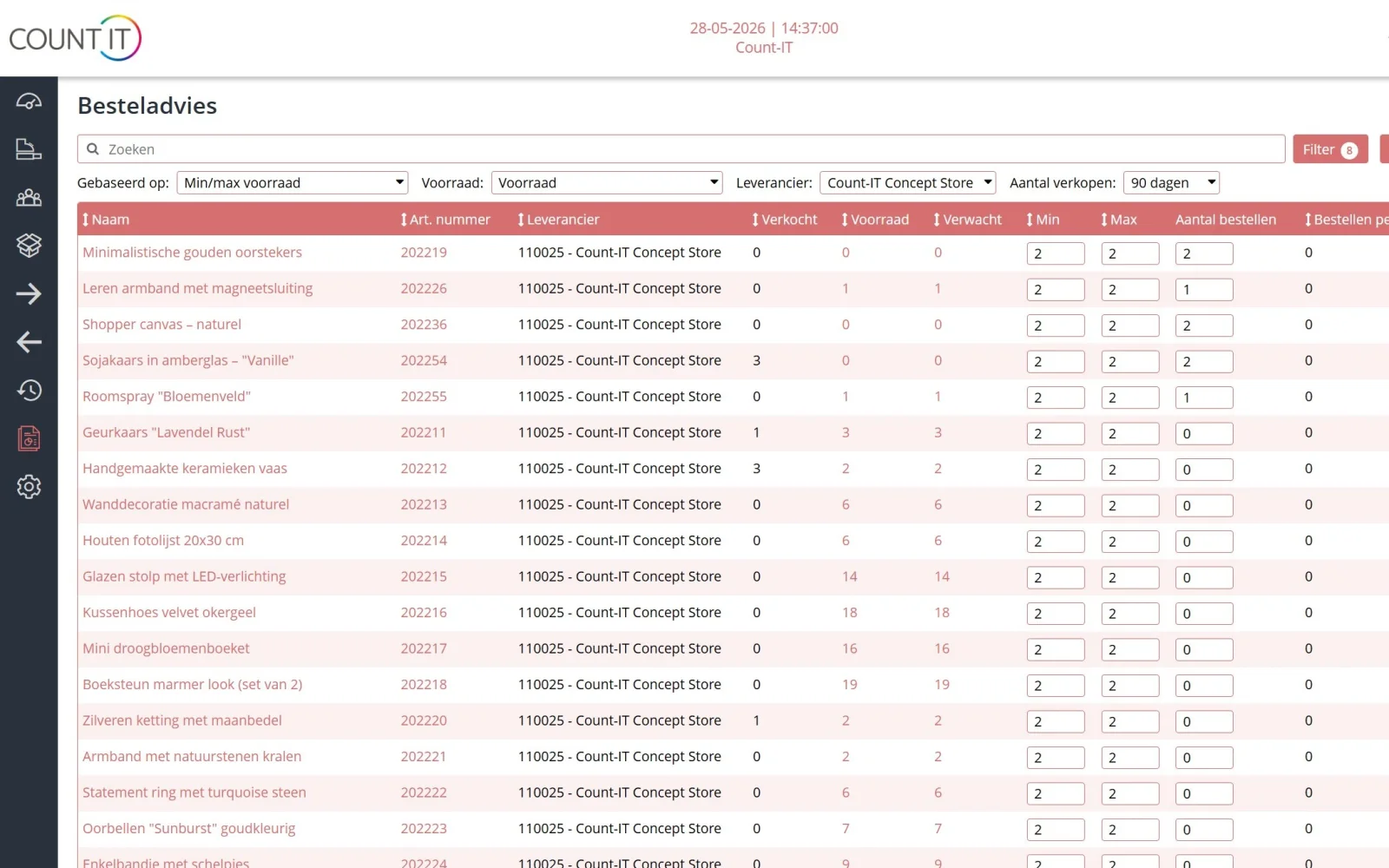
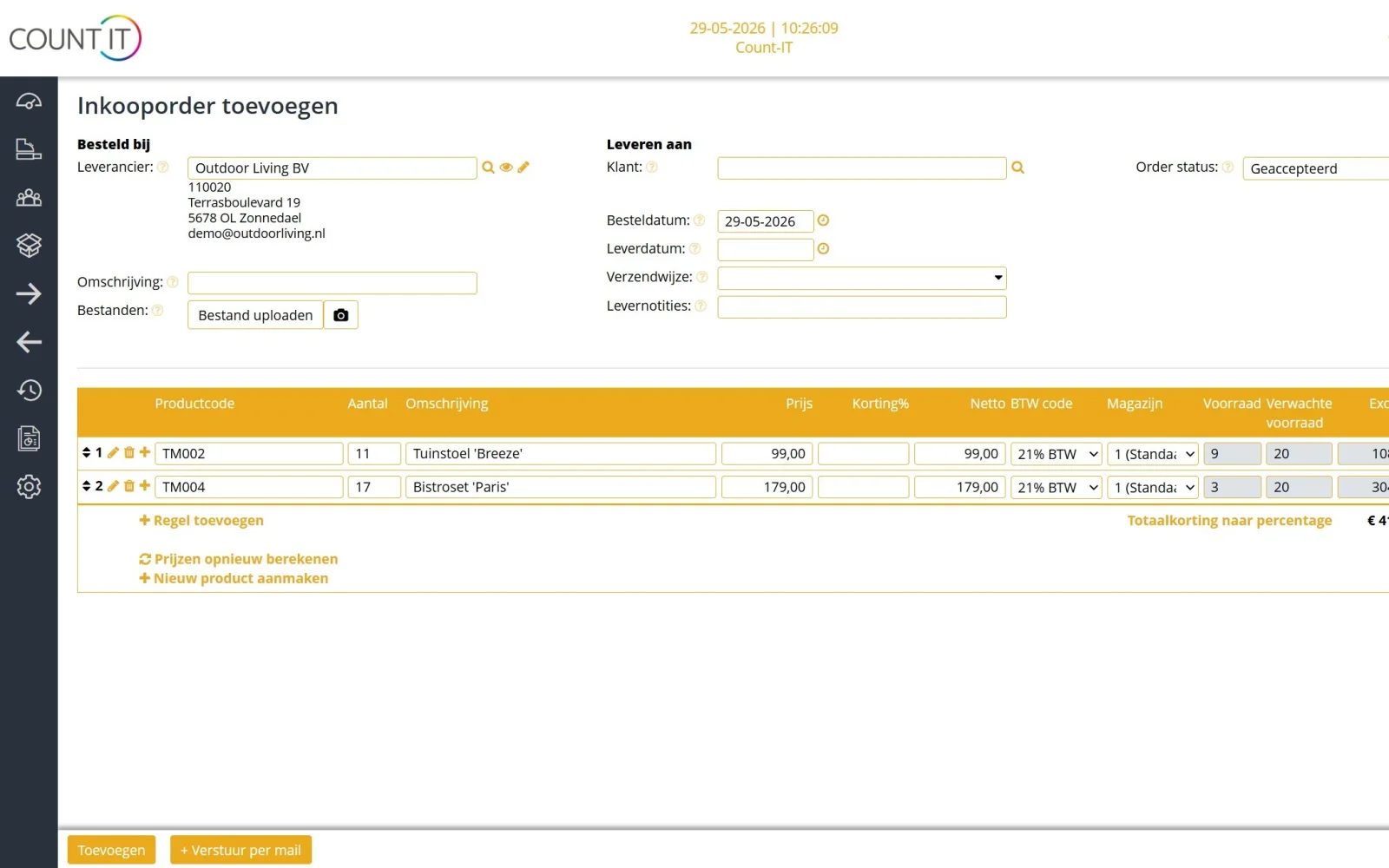
The order advice uses your stock, minimum and maximum levels and sales to propose a purchase order. You check and approve it. You send purchase orders by email, through a supplier integration or via EDI, and book the receipt in one go.

Orders

Quotes your customer signs online, sales orders with partial deliveries, partial invoicing and down payments, recurring orders, pick lists and packing slips, and shipping labels through your carrier. More about orders and shipping

Invoicing and Peppol

Invoices and credit notes, payment links, direct debit with a mandate, collective invoices for customers on account, and subscriptions. Import bank statements (CAMT.053 or MT940) with matching suggestions. Send e-invoices via Peppol.

CRM

Customers, prospects and suspects with contacts, delivery addresses, notes and an assigned sales manager. For each customer you record payment terms, credit limit, discount and price list. VAT numbers are checked via VIES. More about customers and the portal

B2B ordering portal

Business customers order from their order list with their own login, at their own prices. They can also view invoices and pay online. Read more about the B2B ordering portal.

Reports

Turnover, margins, sales analysis, stock turnover and write-offs, with export to PDF or Excel. You can receive POS transactions and invoices automatically by email every day.

POS or ERP?

When do you need ERP, and when is a POS with inventory management enough?

Not every business needs ERP functions. These rules of thumb help you choose.

A POS with inventory management is enough if

  • you have one shop or venue and sell mainly to consumers;
  • you want to track stock, but purchasing and reordering are simple;
  • invoices for business customers are the exception;
  • you want to see turnover and bestsellers, without an order process behind it.

You need ERP functions if

  • your stock is spread across several warehouses, branches or a web shop;
  • you have business customers with their own prices, quotes and payment on account;
  • orders are picked, shipped and sometimes delivered or invoiced in parts;
  • you purchase regularly and want to know what to reorder;
  • you currently enter data twice in your till, Excel and accounts.

The nice thing about Count-IT is that you do not have to choose between two systems. The Light plan gives you the till, product management, the dashboard and reports. The Full plan adds purchasing, sales orders, inventory management and integrations, among other things. You upgrade without moving your data. See the difference on the plans and pricing page.

Comparison

POS with a separate ERP package, or Count-IT all-in-one

Many businesses combine a till with a separate ERP or accounting package. That can work well, but they are two ways of working, each with its own consequences.

Comparison between a POS with a separate ERP or accounting package and Count-IT all-in-one
TopicPOS + separate ERP packageCount-IT all-in-one
DataTwo databases. Products, customers and prices have to be synchronised or entered twice.One database. Till, stock, orders and invoices use the same products and customers.
StockOnly correct after synchronisation; depends on the integration and how often it runs.Every sale, delivery and receipt updates the same stock immediately.
Prices and customer agreementsPrice lists and discounts are often maintained in two places.One pricing order for the till, orders and the ordering portal: customer prices, price lists and tier prices.
Setup and maintenanceThe integration between till and ERP has to be set up and maintained with every update.Till and ERP functions are already one system. You only need integrations for accounting, web shop or carrier.
SupportTwo suppliers and two help desks. If the integration fails, you have to work out who is responsible.One point of contact with personal support, Monday to Saturday from 9:00 to 17:00.
CostsLicences for both systems, plus any costs for the integration.A fixed price per till per month (Light €35, Full €69, excl. VAT), including support, updates and unlimited users.
ReportsYou have to combine figures from different systems yourself.Turnover, margin and stock in the same reports and the same dashboard.

This is a general comparison of two ways of working, not a comparison with a specific package. A specialised ERP package may be strong in exactly the areas Count-IT does not cover (see below).

To be honest

What Count-IT is not

Count-IT is a POS system with ERP functions for trade, retail, hospitality and services. It is not an ERP package for manufacturing. If you need one of the functions listed here, a specialised package is probably a better fit. Not sure? Get in touch and we will give you an honest answer.

  • No production planning or MRP. Count-IT supports production with ingredients and packaging materials, but no capacity planning, work preparation or material requirements planning.
  • No batch or lot tracking. You cannot trace stock by batch or lot number. Serial numbers per product are supported.
  • No stock by expiry date. Stock is not tracked by best-before or use-by date.
  • No automatic ordering or demand forecasting. The order advice is a proposal. Nothing is sent to your supplier until you send the purchase order.
Switching

How to switch to POS and ERP in one

  1. Demo and advice

    In a 30-minute live online demo we show you how your processes work in Count-IT. Or try it free for 30 days.

  2. Import your data

    Import products, prices and customers via Excel or CSV. Start with a small selection and check it first.

  3. Warehouses and stock

    Set up your warehouses and storage locations and record your opening stock with a stock count.

  4. Connect and go live

    Connect your accounting, web shop or carrier. Then go live, with personal support whenever you need us.

Frequently asked questions

ERP with POS

What is a POS system with ERP?

A POS system with ERP is a till that also includes product management, inventory management, purchasing, orders, invoicing and customer management. All parts use the same real-time data, so you do not need to connect separate systems.

Is Count-IT suitable as ERP software for SMEs?

Yes, for trading and service companies in the SME segment: shops, wholesalers, B2B companies and hospitality. Count-IT is not intended for manufacturing, as production planning (MRP) and batch or lot tracking are not included.

How much does Count-IT with ERP functions cost?

The Full plan, which includes purchasing, sales orders, inventory management and integrations, costs €69 per month per till, excluding VAT. Support, updates and unlimited users are included. The Light plan costs €35 per month per till. See plans and pricing.

Can I track stock in multiple warehouses?

Yes. You manage multiple warehouses with storage locations, see stock per warehouse and per location, and transfer stock between warehouses. Planned incoming and outgoing stock is visible too.

Does Count-IT order from my supplier automatically?

No. The order advice proposes a purchase order based on stock, minimum and maximum levels and sales. You check the proposal and send the order yourself, by email, through a supplier integration or via EDI.

Does Count-IT integrate with Exact Online or e-Boekhouden.nl?

Yes. With Exact Online, Count-IT exchanges relations, products, orders, invoices and stock, among other things. With e-Boekhouden.nl, daily turnover, card transactions, payment fees and refunds are booked automatically. There are also integrations with Moneybird, SnelStart, Visma eAccounting and Uniconta.

Can I import my products from my current system?

Yes. You import and export products via Excel or CSV, and you can import product images too. Check a small selection before running the full import.

Does Count-IT support batch numbers or expiry dates?

No. Batch or lot tracking and stock by expiry date are not part of Count-IT. Serial numbers per product are supported.

POS and ERP in one system?

Book a 30-minute live online demo or try Count-IT free for 30 days.