
POS system for takeaways

POS system for takeaways, snack bars and pizzerias

Take payment quickly at the counter, send orders to the kitchen and let customers order online on your own order page. Count-IT is suitable for takeaway and delivery businesses, snack bars, chip shops and pizzerias that want counter and online orders in one system.

In short

Count-IT is a POS system for takeaway and delivery businesses with a counter POS, kitchen and bar printers and your own online order page. Online, customers choose a pickup or delivery time, put together their order with product options and pay online; the order arrives in Count-IT and can be printed per product as a kitchen ticket. It is your own channel alongside delivery platforms such as Thuisbezorgd.nl.

  • Counter POS with product options, menus and a connected card terminal
  • Your own order page for pickup and delivery, with time slot, delivery area and minimum amount
  • Tickets per product to kitchen and bar printers

What does a takeaway need from a POS system?

In a snack bar, chip shop or pizzeria, orders come in through several channels: at the counter, by phone and online. At busy times everything has to reach the kitchen quickly and without mistakes, and you need to know which order has to be ready when. If online orders arrive on a separate tablet from a delivery platform, you retype them into your POS or end up with two systems and two sets of revenue.

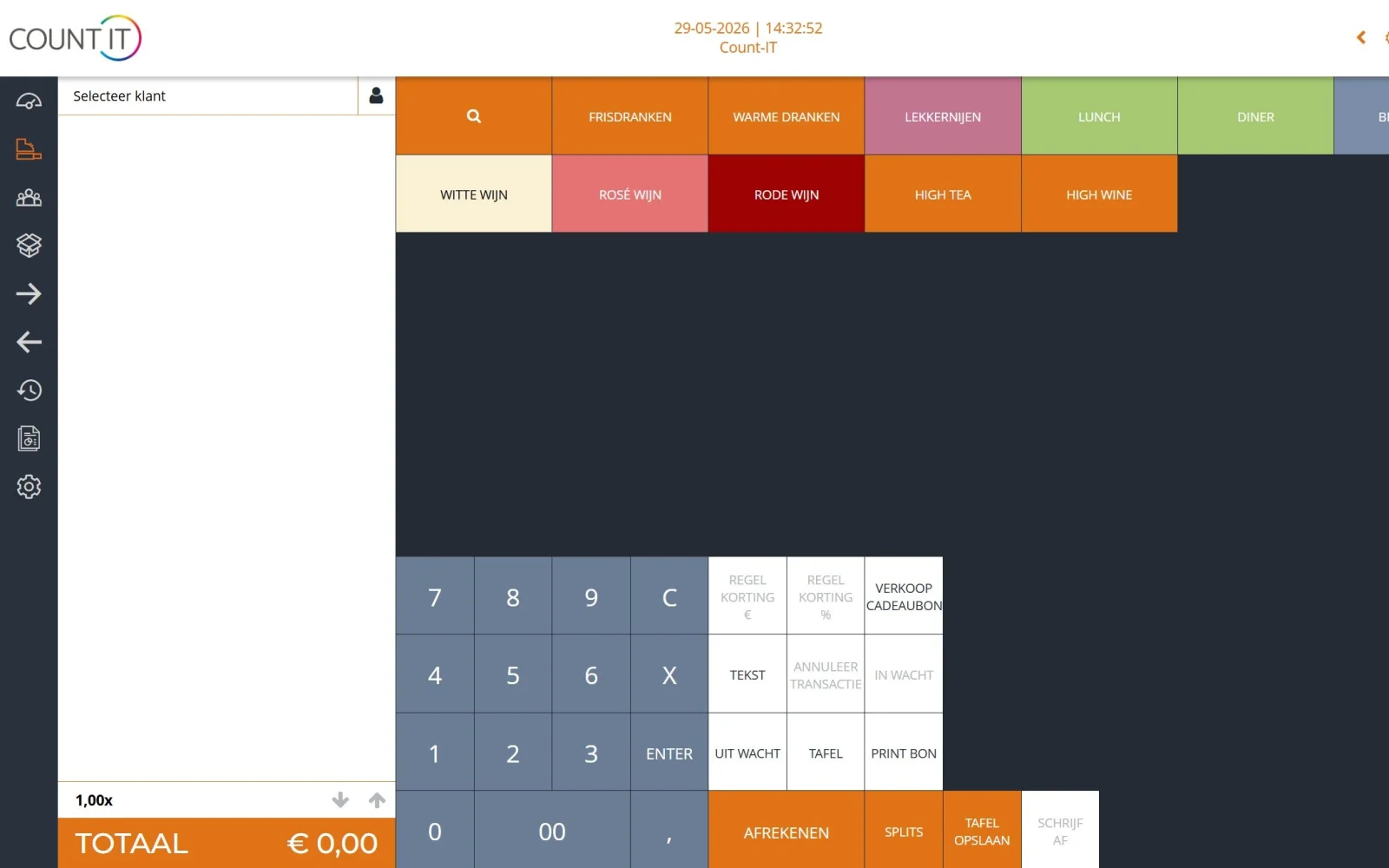
In Count-IT the counter POS and the online order page work with the same products and prices. At the counter you ring up orders with buttons, choose product options, such as an extra sauce or a different base, and the customer pays by card or cash. A phone order is put on hold under the customer's name: the kitchen ticket is printed straight away, and you settle the order when it is collected. The kitchen receives the order on the kitchen printer, per product or product group.

With your own order page, customers order online for pickup or delivery, on your own address and in your own house style. They see your whole menu on one page, choose a time within your opening hours and pay online. You limit delivery to your own delivery area based on postcodes, with a minimum order amount. It is your own channel alongside or instead of delivery platforms such as Thuisbezorgd.nl: the order comes straight to you and into Count-IT.
Features

Counter, kitchen and online in one system

Everything to take orders quickly and have them ready on time.

Your own online order page

Your whole menu on one page, with category buttons that move along as you scroll. On a phone each line shows the first lines of the description, with Read more for ingredients and allergens, for example.

Pickup and delivery times

Customers choose a day and time within your opening hours. You set the intervals, for example every 15 minutes, the minimum preparation time and how many days ahead people can order.

Delivery area and minimum amount

Switch on pickup, delivery or both. Limit delivery to your own postcodes, set a minimum order amount and charge delivery costs, free from a certain amount if you like.

Product options and menus

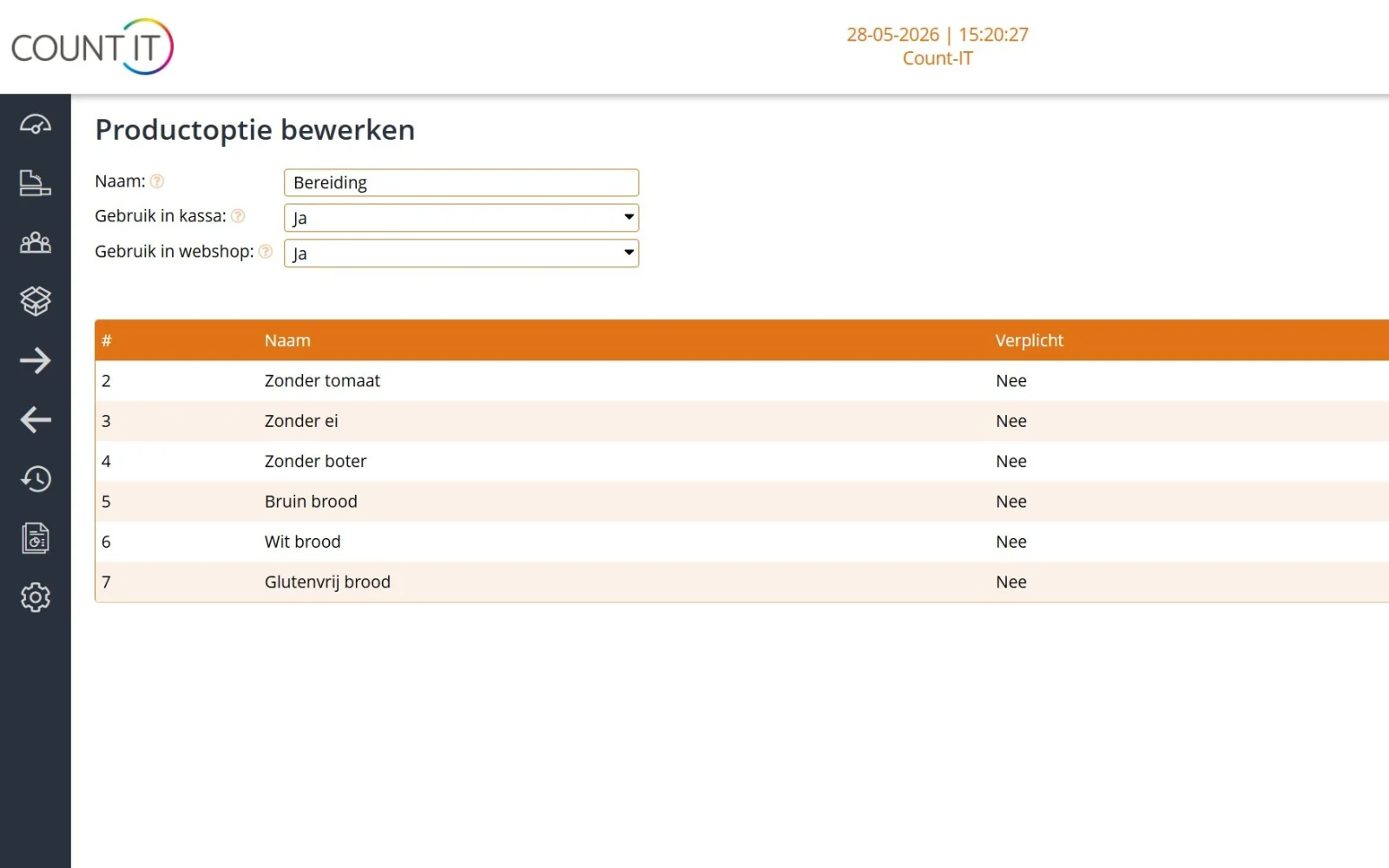
Let customers choose options at the counter and online, such as a sauce, a size or an extra topping. An option's surcharge is added to the price. Combine products into a meal deal with a bundle.

Kitchen ticket per product

Choose the printer per product or product group, so the fryer, the pizza oven or the bar only sees what they need to make. Online orders can also be printed per product as a kitchen ticket, even only shortly before the chosen time.

Online payment and card payment

Online, customers pay via a connected payment provider such as Mollie or Pay.nl. At the counter you take card payments via a connected card terminal, so you do not retype the amount.

Fast at the counter

Ring up orders with your own button layout, put a phone order on hold under the customer's name, which prints the kitchen ticket straight away, and let the customer follow along on a customer display.

Revenue from all channels

Counter and online revenue are in the same system. In the reports you view sales per product, product group, payment method and sales channel.

How it works

From order to handover

  1. Prepare the menu

    You set up products, options and prices in Count-IT and choose which can be ordered online.

  2. Order comes in

    An order comes in at the counter, by phone or via your order page, with online payment and a chosen time.

  3. Kitchen

    The order lines go as kitchen tickets to the right printer; for an online order for later, only shortly in advance.

  4. Handover

    The customer collects the order or you deliver it; at the counter you settle an order held under a name when it is collected.

To be fair

What Count-IT does not do (yet)

So you know in advance whether it fits.

  • Via the order page the customer always pays online; paying cash or by card on collection is not possible through the order page.
  • Automatic printing of online orders requires the Count-IT app to be running on a device in your venue.
  • Count-IT is not a delivery platform: customers find your order page through your own website, Google or your own channels, and you arrange delivery yourself.
  • There is no kitchen display system (KDS): orders go to kitchen and bar printers. Guests also do not order themselves via a QR code at the table.
Frequently asked questions

Questions about a POS system for takeaway and delivery

Is Count-IT suitable for a snack bar or chip shop?

Yes. You take payment quickly at the counter with your own button layout and product options, and orders go to the kitchen printer per product or product group. With your own order page, customers can also order online for pickup or delivery.

Can I have my own order page alongside Thuisbezorgd.nl with Count-IT?

Yes. The order page is your own channel alongside or instead of delivery platforms such as Thuisbezorgd.nl. The order comes straight to you and into Count-IT. You make sure customers find your order page and you deliver yourself.

Can I limit delivery to my own delivery area?

Yes. You limit delivery to the postcodes in your delivery area, and a minimum order amount is checked at checkout. You set delivery costs, optionally depending on the order amount, with free delivery from a certain amount.

Do online orders go to the kitchen automatically?

Yes, if you set it up. An online order is printed automatically, as a complete order or per product as a kitchen ticket on the right printer. An order for later can be printed only shortly in advance. This requires the Count-IT app to be running on a device in your venue.

Can customers choose options, such as a sauce or an extra topping?

Yes. If a product has options, the customer chooses them when ordering, online or at the counter. An option's surcharge is added to the price automatically.

Can customers choose a pickup or delivery time?

Yes. The customer chooses a day and time within your opening hours. You set the intervals between times, a minimum preparation time and how many days ahead people can order.

How do I handle a phone order?

Ring up the order on the POS and put the receipt on hold under the customer's name. The kitchen ticket is then printed straight away, so the kitchen can get started. When the customer collects the order, you open the receipt and take payment by card or cash.

What does Count-IT cost for a takeaway?

Light costs €35 and Full €69 per POS per month, excluding VAT. What each plan includes is shown under prices. You can try Count-IT free for 30 days.

See Count-IT in your takeaway

In a demo we show how an order comes in at the counter and online and is printed in the kitchen.