
Product management

Product management for POS, orders and webshop in one

Record your range once, with groups, brands, barcodes, variants, prices and images. The POS, invoices, orders and your webshop all use the same product data.

In short

Product management in Count-IT is the central place for all your products: product groups, brands, barcodes, variations, bundles, serial numbers, units, extra product information and images. You handle prices with price lists, customer prices and quantity tiers, and import an existing product database via Excel or CSV. The POS, orders, invoices and webshop work with the same data.

  • Variations in size and colour, options, bundles and linked products
  • Barcodes and alternative scan codes, weighed and open-price products
  • Included in both Light and Full: see the plans

What is product management in Count-IT?

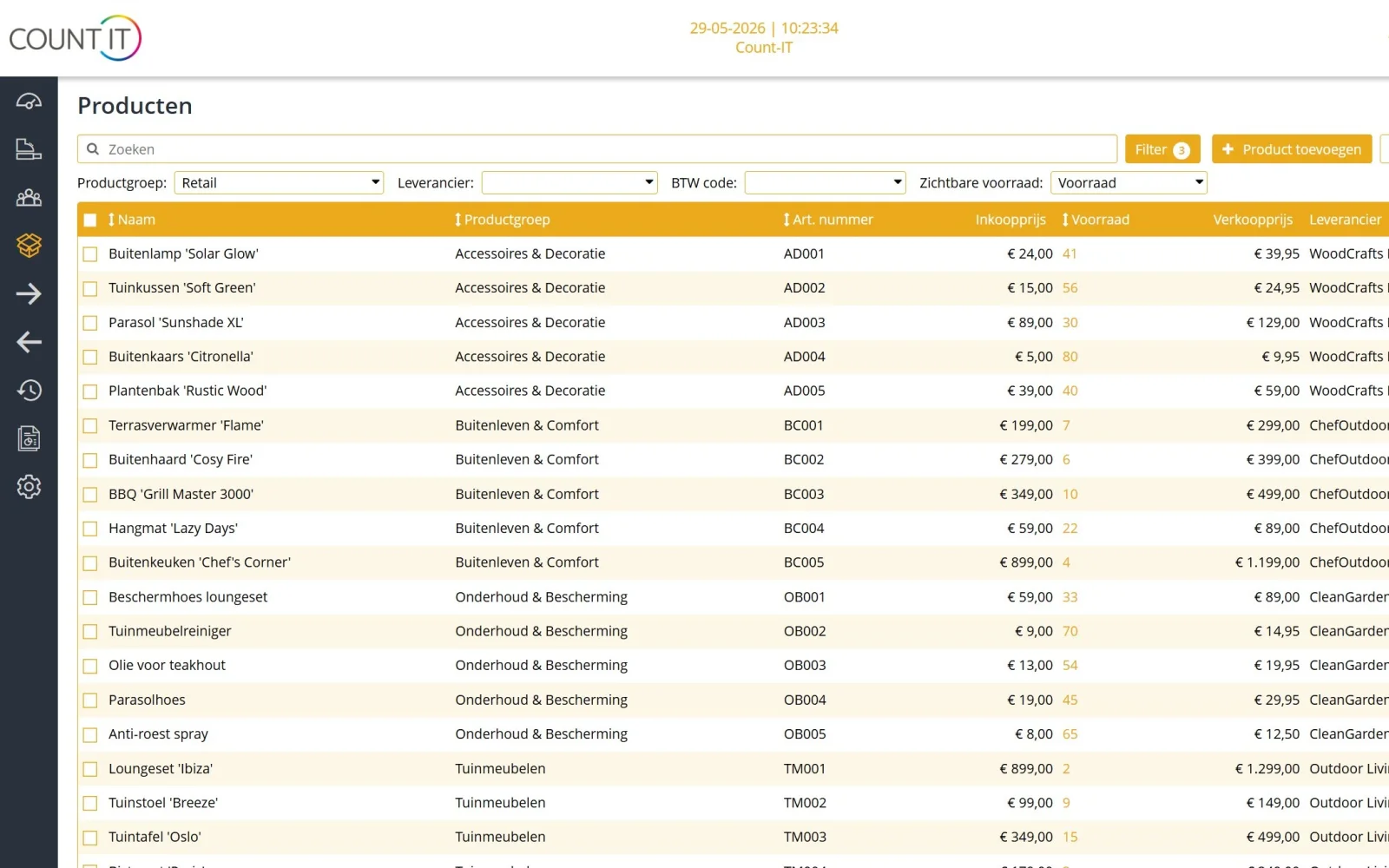
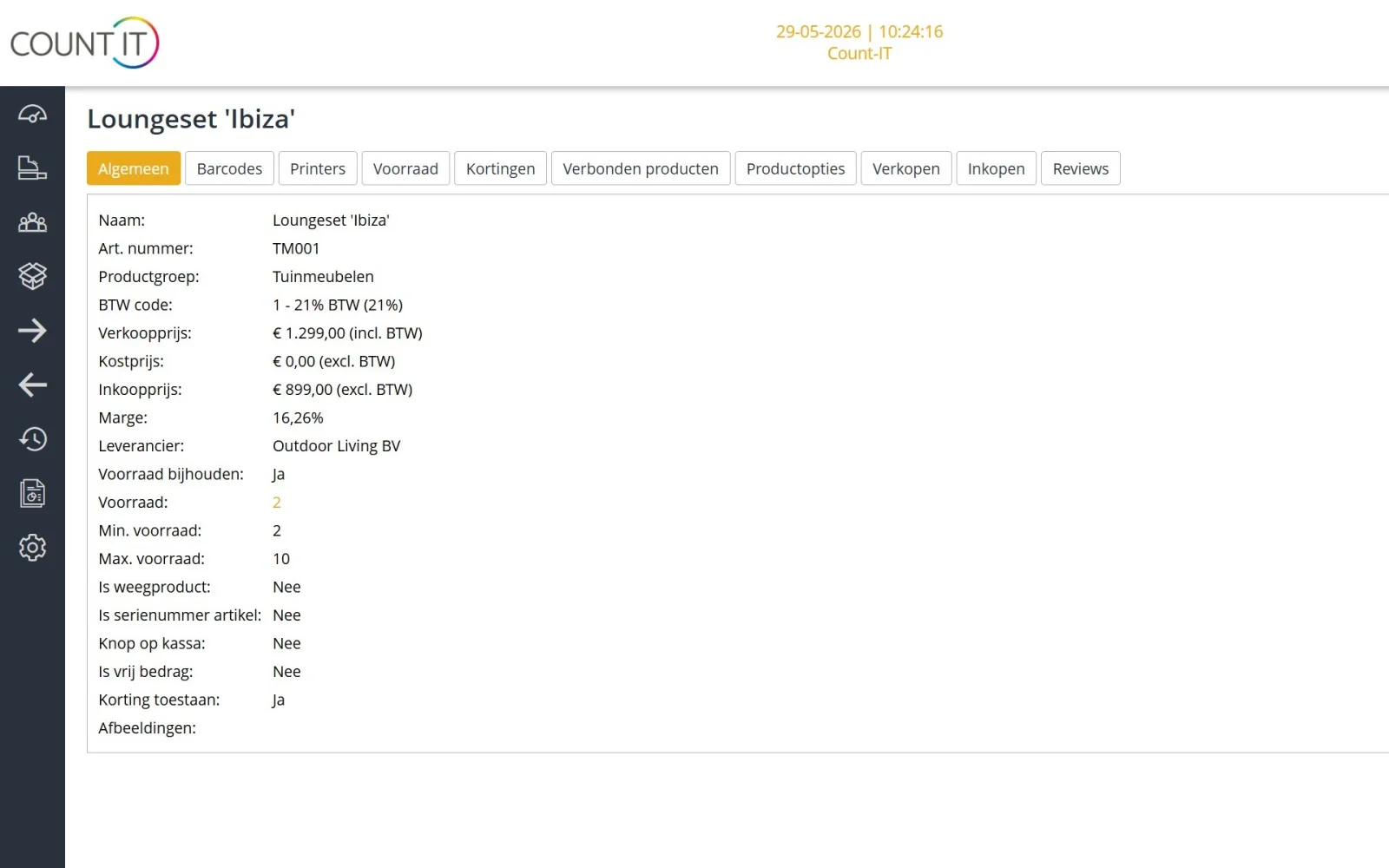
Product management means recording and maintaining everything you sell: name, item number, barcode, product group, sales and purchase price, VAT code, unit, supplier, image and description. In Count-IT you do this in one place. The POS, quotes, orders, invoices and a linked webshop take their data from the same product, so a price change applies everywhere at once.

A product can be more than an item with a single price. Count-IT supports variations and product options, bundles and linked products, open-price products, weighed products and fractional quantities, and products with serial numbers. The Product type field also lets you distinguish between physical items, services, shipping costs and payments.

If you track stock, you set per product whether that happens and in which warehouse or location it is kept; read more under stock management. If you also sell online, you send products, prices and product information on with a webshop integration.
Features

Everything for your product range

Settings and visible fields let you decide how detailed your product record is.

Groups, brands and item numbers

Organise products into product groups and brands. Let Count-IT generate item numbers automatically or use your own numbering, and make an item number mandatory if you wish.

Barcodes and alternative codes

Give a product a barcode and alternative scan codes. Count-IT can enforce unique barcodes or warn about a barcode that already exists, and the POS also reads GS1 barcodes.

Variations, options and bundles

Create variations for size and colour, for example, add product options and put together bundles. With linked products you attach a fixed set of products to a main product. A size and colour matrix shows all variations of an item in one grid.

Weight, open price and serial numbers

Sell by weight or in fractional quantities such as 0.5 or 1.25, have the price of an open-price product entered at the POS and record individual serial numbers, with a FIFO warning.

Price lists, customer prices and tiers

Work with general price lists and price lists per customer, with fixed prices, discounts or a mark-up on the purchase price, quantity tiers and validity periods. The price check shows which price a customer gets and why.

Product information, translations and images

Add your own product information fields, with type and unit, and decide whether they appear in the webshop as a specification or a separate tab. Translate name, description and product information, and add images by upload or link.

Import and export

Import products and product images via Excel or CSV, choosing add, edit or both and a matching field such as the item number. Export your product list with the filters you have selected.

Label printing

Design label templates with the right size, fields and barcode and print product labels on a label printer. There are also templates for customer, repair, voucher and ticket labels.

How it works

From empty system to full product range

  1. Set up the basics

    Create product groups, VAT codes and units. You then use them for every product.

  2. Add or import products

    Add products one by one, or import your existing list via Excel or CSV. Test with a few rows first.

  3. Prices and codes

    Complete barcodes, supplier, image and POS visibility, and set up price lists and tiers where needed.

  4. Check and sell

    Test search, scanning and the price with the price check, and print labels for products without a barcode.

To be fair

What product management does not do (yet)

So you know in advance whether it fits.

  • Batch or lot numbers with a best-before or use-by date are not tracked; serial numbers are.
  • You can find duplicate products with the Same values filter, but not yet merge them safely. Make a duplicate product inactive instead of deleting it.
  • An Excel export contains at most 10,000 records; choose CSV for a larger selection.
Frequently asked questions

Questions about product management

Can I create products with sizes and colours?

Yes. With the Use variations setting you create variations, for example per size and colour, and add product options. With Use stock of parent product, variants can also share a stock source. You see all sizes and colours of an item together in a matrix.

How do I import my existing products?

Choose Import in the product overview, pick the worksheet and header row, map the columns and choose add and edit, add only or edit only. Use a stable matching field such as the item number and test with a few rows first. Product images are imported separately, via an Excel or CSV file with links or a ZIP file.

What is the difference between a bundle and linked products?

Linked products are for a fixed set that always goes together. A bundle is configurable, and with product options the customer puts something together. Decide beforehand whether stock should change on the main line, on the components or on both.

Can I give different prices per customer?

Yes. Give a customer a direct customer price on the product, or link a price list to the customer. A price list can contain fixed prices, discounts or a mark-up on the purchase price, with tiers and validity periods. The price order is explained in the knowledge base on products and prices.

Can I sell products by weight?

Yes. Count-IT supports weighed products and fractional quantities. At the POS you weigh with a connected scale, and you set whether delivery and stock are recorded as a quantity or as quantity plus weight.

Can I print my own product labels?

Yes. Create a label template with the right size, fields and barcode, choose a label printer, print one test label and then the series. If a default price list is set on the POS, the prices on the label follow that price list.

Can I record product information in several languages?

Yes. Choose your translation languages in the company settings; products and product information fields then get a Translation tab for name, description and text values such as a colour. An empty translation shows the text from the main language.

Which plan includes product management?

Product management is included in both Light (€35) and Full (€69), per POS per month, excl. VAT. Stock management and integrations, such as a webshop integration, are part of Full.

See your product range in Count-IT

In a demo we show how you manage products, variants and prices, using your range as an example.