
Supplier integrations

Supplier integrations: order electronically from your supplier

Load your supplier's assortment, prices and stock into Count-IT and send your purchase orders without retyping. Count-IT can connect with almost any supplier, provided the supplier supports it with an API, EDI or a feed.

In short

A supplier integration in Count-IT connects your purchasing directly to your supplier's system. Depending on what the supplier offers, you load the assortment, prices, product data and the supplier's stock and send purchase orders electronically. Count-IT connects with almost any supplier that has an API, EDI or a feed.

  • Load the assortment and link it to your own products
  • Send purchase orders electronically, never twice by mistake
  • EDI to the EDIFACT/EANCOM standard on the purchasing side too

What is a supplier integration?

A supplier integration is a direct connection between Count-IT and your supplier's system. Instead of retyping price lists and emailing orders, you load the supplier's data into Count-IT and your purchase order goes straight to the supplier. When you switch on the setting Use supplier integrations, the section Supplier data appears for a connected supplier.

Exactly what an integration can do depends on the supplier. One supplier only provides an assortment file, another offers an API that also shows you the supplier's current stock and lets you order electronically. Count-IT can connect with almost any supplier, as long as it offers an API, EDI or a feed. One example is the integration with Centraal Boekhuis (CB): you load the CB assortment, send purchase orders electronically and Count-IT processes the response messages, such as order confirmations.

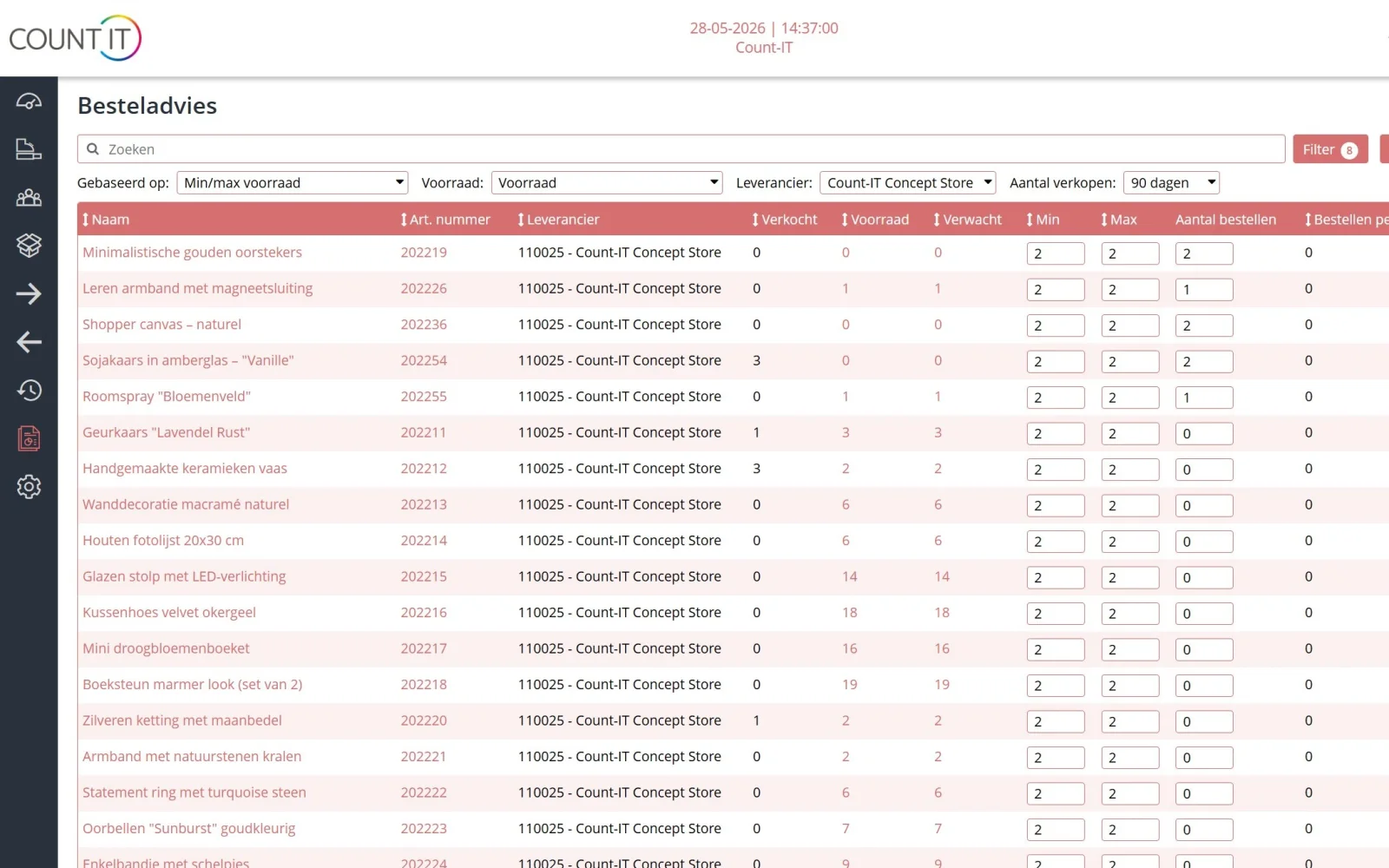
The integration works together with your inventory management. The order advice makes a proposal per supplier, you check the purchase order and send it. For a supplier without an integration, you simply send the same purchase order by email.
Features

What a supplier integration can do

Depending on the supplier, these parts are available.

Stock at the supplier

See in Count-IT how much the supplier has in stock, so you know whether an order can be delivered quickly.

Load and link the assortment

Load the supplier's assortment and link supplier products to your own products, so the supplier's purchase price and article number are with the right product.

Prices and product data

Synchronise prices and product data. If the supplier provides weight, length, width and height, you can take them over. Missing values do not erase your existing data.

Ordering electronically

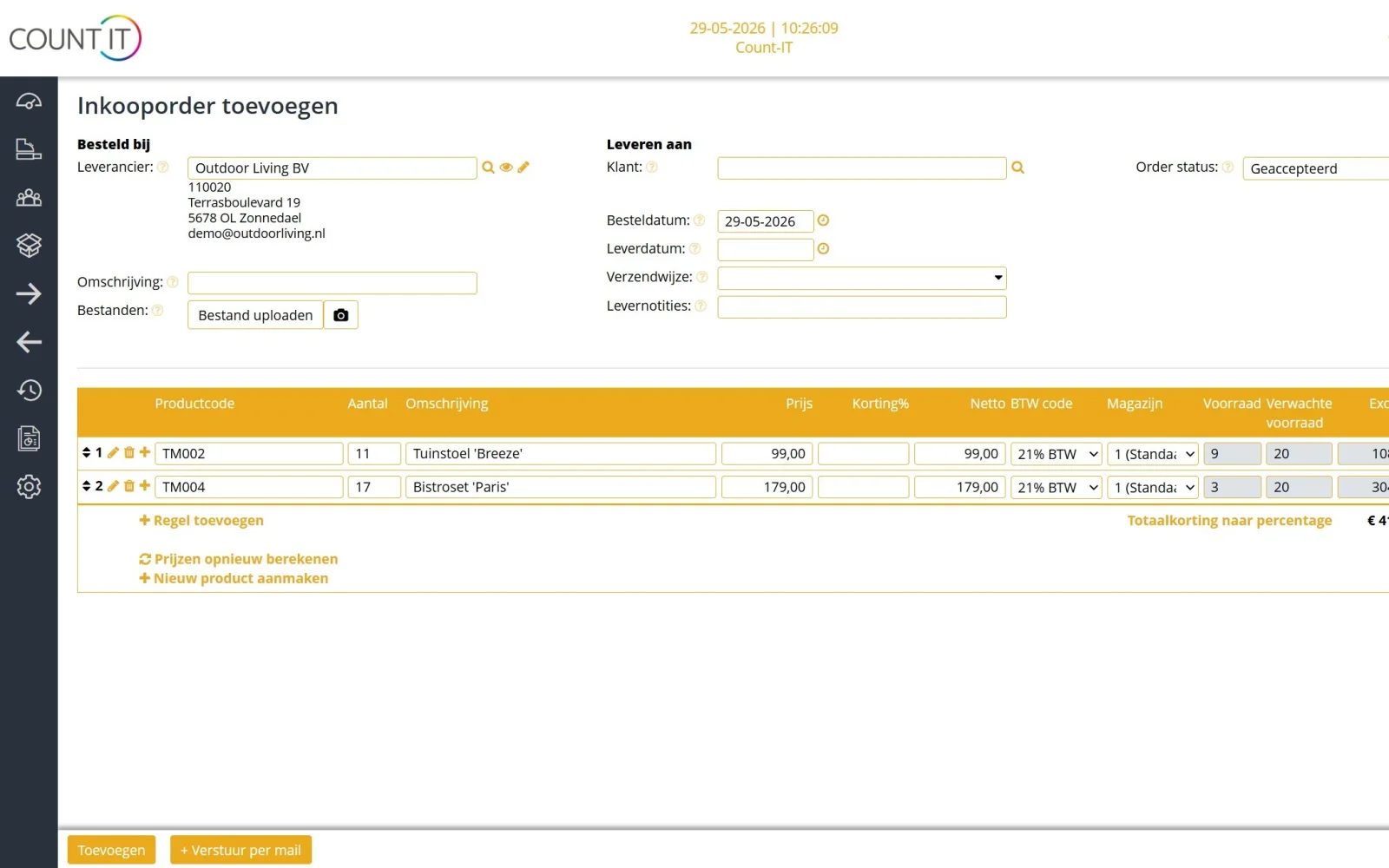
Send purchase orders straight to the supplier, with supplier-specific order parameters where the supplier asks for them. With the bulk action you send up to 500 purchase orders per selection.

Checks before sending

If a value is longer than the supplier allows, Count-IT shows in advance what will actually be sent and asks for confirmation. The data in Count-IT itself is never shortened.

Never sent twice

Once a purchase order has been sent through an integration, the same order cannot be offered again. An attempt that failed before sending can be resumed.

EDI on the purchasing side

With EDI you send purchase orders and receive order confirmations, despatch advices and price catalogues according to the EDIFACT/EANCOM standard of GS1.

Supplier portal

Do you work with consignment or shop-in-shop? Entrepreneurs log in to the supplier portal, manage their own products and see the stock and sales of those products.

How it works

From supplier to purchase order

  1. Activate the integration

    After activation, the section Supplier data appears for the supplier.

  2. Choose fields

    You look at which fields the supplier provides and choose which ones Count-IT may take over, all of them or a custom selection.

  3. Start small

    You first link a small selection of products and check the result before linking the rest.

  4. Order

    You create a purchase order, optionally from the order advice, check it and send it electronically to the supplier.

To be honest

What Count-IT does not do (yet)

So you know in advance whether it fits.

  • An integration can only do what the supplier offers. If your supplier has no API, EDI or feed, you order by email.
  • Count-IT does not order automatically: nothing goes to the supplier until you send the purchase order.
  • The EDI integration is meant for purchasing from your suppliers. Your own business customers order through the B2B ordering portal.
  • Supplier management and integrations are part of the Full plan, not Light.
Frequently asked questions

Questions about supplier integrations

Which suppliers can Count-IT connect with?

With almost any supplier, provided the supplier supports it with an API, EDI or a feed. What is possible, such as assortment, prices, stock at the supplier and electronic ordering, depends on what the supplier offers. Is your supplier not connected yet? Get in touch and we will look at the options.

What is EDI and can I use it to order from my supplier?

EDI is the electronic exchange of trade documents according to agreed message formats. In Count-IT you use EDI on the purchasing side: you send purchase orders and receive order confirmations, despatch advices and price catalogues according to the EDIFACT/EANCOM standard of GS1.

Will my own product data be overwritten during synchronisation?

Only the fields you select. So first check which fields the supplier provides and link a small selection. For weight and dimensions Count-IT only takes over positive values that are supplied; missing values do not erase your existing data.

Can a purchase order go to the supplier twice by mistake?

No. As soon as a purchase order has been sent successfully through a supplier integration, Count-IT reports on a new attempt that the order has already been sent. If an attempt failed before it was actually sent, or is still in the queue, you can resume it.

Can I send several purchase orders electronically at once?

Yes. The bulk action for electronic sending processes up to 500 purchase orders per selection. Narrow down a larger selection beforehand, so the checks before sending stay manageable.

What happens if a text is too long for the supplier?

Count-IT then shows a table before sending with your full value and the value that will actually go to the supplier after clean-up and shortening. You confirm the sending yourself. Count-IT keeps the full value.

Can I still order from a supplier without an integration?

Yes. You can send any purchase order to the supplier by email, with your own template. The order advice and purchase orders work the same, with or without an integration. Read more in the knowledge base on stock and purchasing.

Connect your suppliers to Count-IT

In a demo we show how you load an assortment and send purchase orders electronically, and we look at what is possible with your suppliers.