POS system for bakeries

POS system for bakeries, from the counter to regular bread customers

At the counter you serve customers quickly, while hotels, restaurants and businesses order their bread every week through their own ordering portal. Count-IT turns all those orders into a production list and a delivery list, so you know what to bake and where it needs to go.

In short

Count-IT is a POS system for bakeries that combines the shop point of sale, business bread orders and production in one system. Regular customers order through a B2B ordering portal or with a repeat order, and the production list and delivery list show per period what needs to be baked and delivered.

  • Point of sale with product buttons per group, also for products sold by weight
  • Production list and delivery list based on your open orders
  • Ordering portal, repeat orders and consolidated invoices on account for business customers

What should a POS system for a bakery be able to do?

A bakery has two sides. In the shop it is all about speed: many customers, many individual products and little time per customer. Behind the scenes it is about planning: how many loaves, cakes and rolls do you need to bake tonight, for which customer, and when does everything need to be ready? Hotels, restaurants, lunchrooms and businesses often order the same every week, with the occasional change.

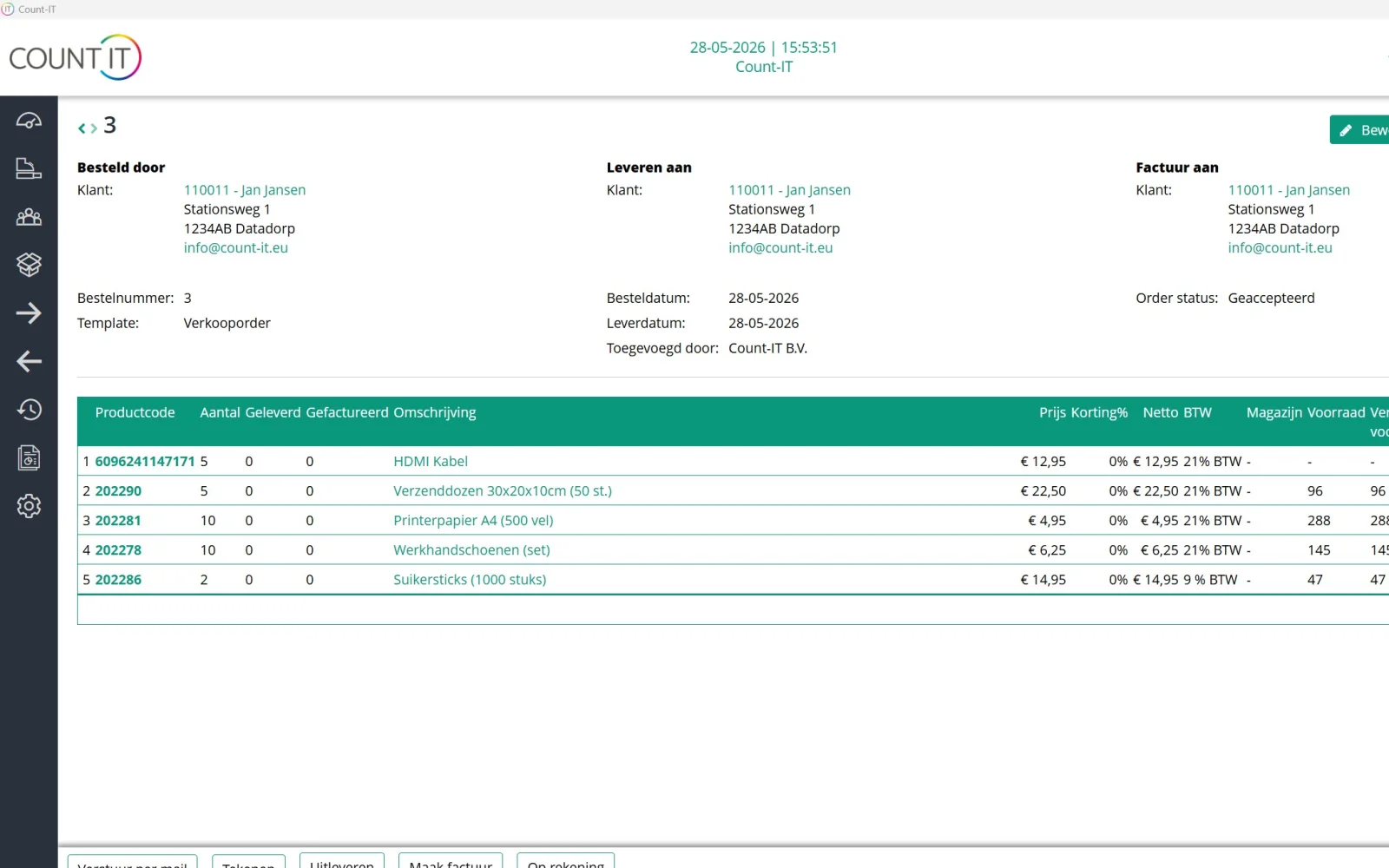
In many bakeries those business orders still come in by phone, WhatsApp or email and are copied onto a list. With Count-IT all orders are in the same system as your point of sale. A business customer orders through the ordering portal, a fixed weekly order is set up once as a repeat order, and an order from a private customer is recorded at the point of sale as an order.

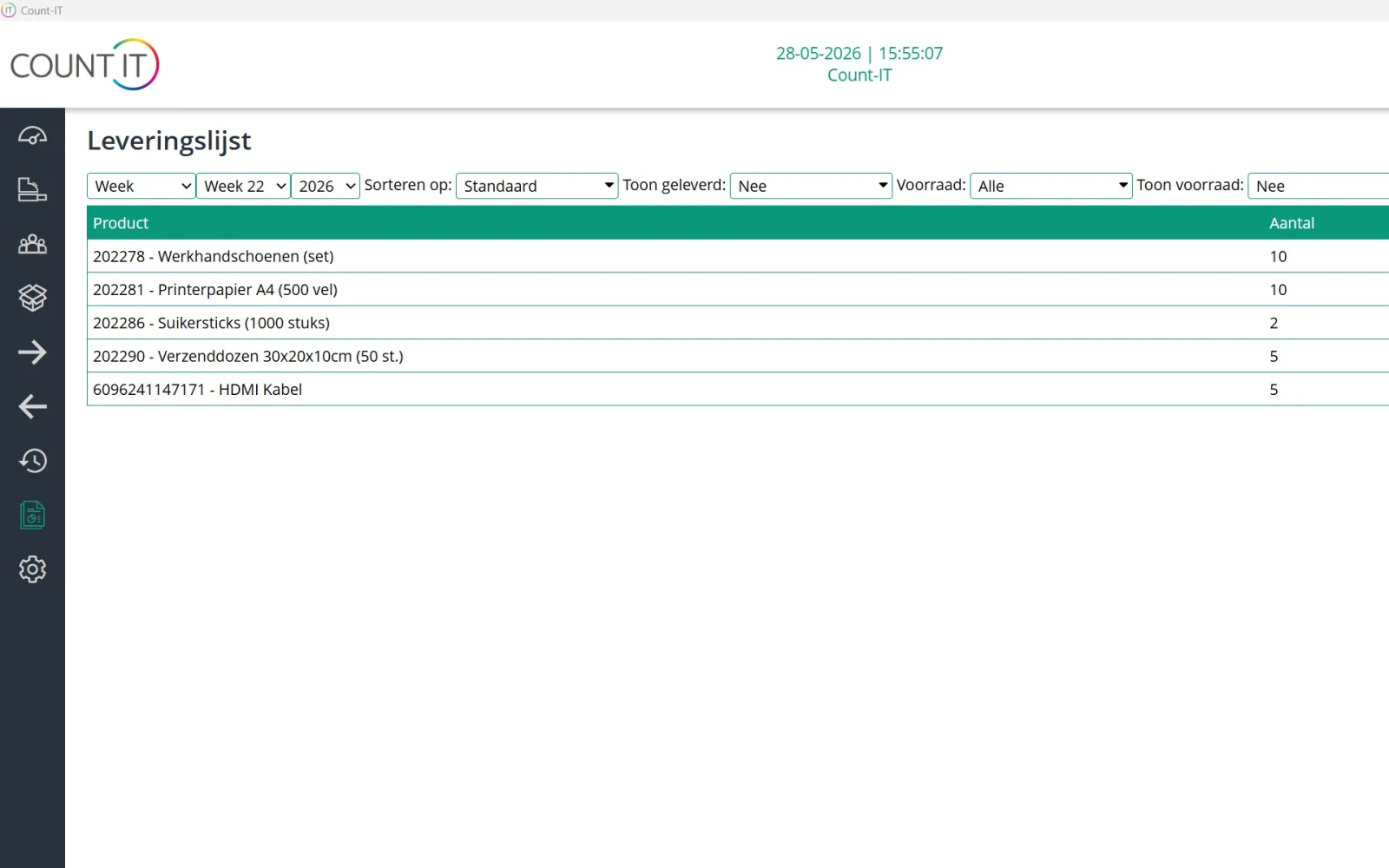
From all those orders Count-IT creates a production list and a delivery list. So you see in one overview what needs to be made and delivered for a day or period, without copying lists. The bakery software is therefore not a separate planning tool, but part of your point of sale, order management and invoicing.
Features

How Count-IT helps your bakery

From the counter to the delivery van: everything works with the same products, customers and prices.

Fast checkout at the counter

Put your range on the point of sale as product buttons per group, such as bread, pastries and rolls. If you sell something by weight, the point of sale also works with weighed products and fractional quantities. Take payment by card, cash or gift card, and sell on account with a customer attached.

Production with ingredients and packaging

Record per product which ingredients and packaging materials go into it, with the quantity. If you give a product a production time, it appears on the production list and Count-IT counts back from the delivery date of the order, so you can see when to start. The production list also totals the ingredients you need. Production is part of the Full plan.

Ordering portal for hotels and restaurants

Business customers log in and order from their own order list, at their own prices. With favourites and Copy products from last order the regular weekly order is placed in no time, and the customer adds their own reference or PO number.

Repeat orders for regular deliveries

Does a hotel receive the same bread every week? Set up a repeat definition with customer, lines, interval and start date. Count-IT creates the orders on time and can email them automatically.

Delivery dates and order limits

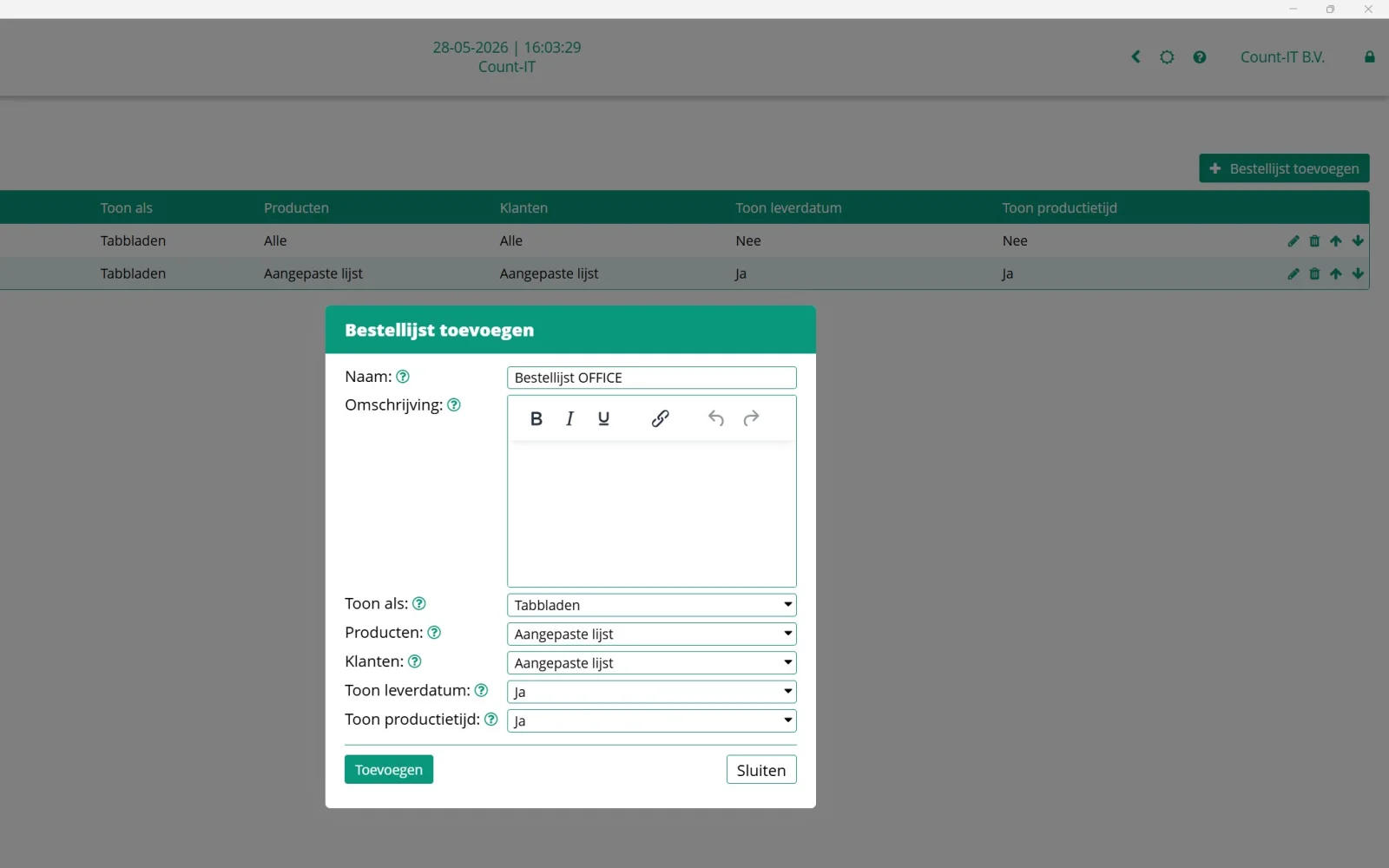
Set a minimum delivery date, excluded weekdays and blocked dates, for example for public holidays. With order limits you cap how much can be ordered per weekday or per period, per product group, ingredient or packaging material. Repeat orders can count towards those limits.

On account and consolidated invoices

Put deliveries to business customers on account and collect them in a periodic consolidated invoice. The PO numbers of the underlying orders are combined on the invoice. With price lists and customer prices every customer gets the right price.

Online pre-ordering

With your own online ordering page private customers pre-order their cake or rolls, choose a collection time within your opening hours and pay online. The order arrives in Count-IT as an order.

Multiple branches

If you have several shops, you separate revenue, points of sale and warehouses per department or branch. You can filter the production list per department and per product group, and reports compare the branches.

How it works

From order to delivery

  1. Orders come in

    Through the ordering portal, a repeat order, the online ordering page or an order at the point of sale. Everything becomes a normal sales order with a delivery date.

  2. Check the production list

    The production list adds up per product how much you need to make for the chosen period. Click a product to see which orders it belongs to.

  3. Deliver with the delivery list

    The delivery list shows what needs to be delivered and, per product, for which customer. You print it as a PDF or export it to Excel.

  4. Invoice

    Invoice per delivery or collect the deliveries on account in a periodic invoice, optionally with a payment link.

To be fair

What Count-IT does not (yet) do for bakeries

So you know in advance whether it fits.

  • Best-before dates and batch or lot numbers are not tracked.
  • There is no production planning (MRP) with capacity, ovens or staff rotas; the production list shows what needs to be made for your orders.
  • On the online ordering page the customer always pays online; paying on collection is not possible there.
  • Customers cannot report returns or complaints through the ordering portal; you handle that yourself in Count-IT.
Frequently asked questions

Questions about a POS system for bakeries

Can I process weekly bread orders from hotels with Count-IT?

Yes. You record a fixed weekly order as a repeat order with customer, lines, interval and start date. If the hotel wants to order or make changes itself, give it a login for the ordering portal, where it reorders quickly with favourites or a copy of the last order.

How do I know how much to bake?

The production list adds up all open orders for the chosen period per product. The list shows the products for which you have set a production time, at the moment you need to start on them, counted back from the delivery date. You can filter by product group and department and save the list as a PDF or Excel file. The list also adds up how much of each ingredient you need.

What is the difference between the production list and the delivery list?

The production list shows what you need to make, the delivery list what you need to deliver and to whom. The delivery list shows the customer name of the related orders for each product; in the production list you can switch that customer column on with Show customer.

Can I prevent orders on public holidays or Sundays?

Yes. In the ordering portal you set a minimum delivery date, excluded weekdays and blocked dates. If a customer chooses a date that is not possible, Count-IT fills in the first possible delivery date. With order limits you also cap how much can be ordered per day or period.

Does every business customer get their own prices?

Yes. With customer prices, customer-specific price lists and quantity tiers every customer gets the agreed price, at the point of sale, on orders and in the ordering portal. Read more in the knowledge base on products and pricing.

Can private customers order a cake online?

Yes, through your own online ordering page. The customer chooses their products and a collection time within your opening hours and pays online. You decide how many days ahead people can order, and the order can be printed automatically on a printer.

Can Count-IT record best-before dates or allergens?

Count-IT does not track best-before dates or batch numbers. You can put ingredients and allergens in the product description, so they are visible on your online ordering page, for example.

Does Count-IT also work for a bakery with several shops?

Yes. You manage products and prices centrally and separate revenue, points of sale and stock per branch. Reports show revenue per branch, and you can filter the production list per department.

See Count-IT in your bakery

In a demo we show how the point of sale, the ordering portal and the production list work together, using your products as an example.